- Concept
- Version · 5.0.3
- Get started
What is the CVE Library?
Last updated: August 21, 2026
The CVE Library is a public dashboard that shows known vulnerabilities across Liquibase releases. Every time Liquibase ships a new release, automated security scanning tools analyze both the Docker image and the Liquibase binary for known CVEs. Those results are published to a public GitHub repository, and the CVE Library reads from them automatically. The data you see is always tied to an actual release and reflects the current threat landscape.
You can access the CVE Library at cve-library.liquibase.com.
Docker Images
The Docker Images section covers the official Liquibase Community Docker image across all tagged releases. When you open it, you see a security dashboard for the latest version.
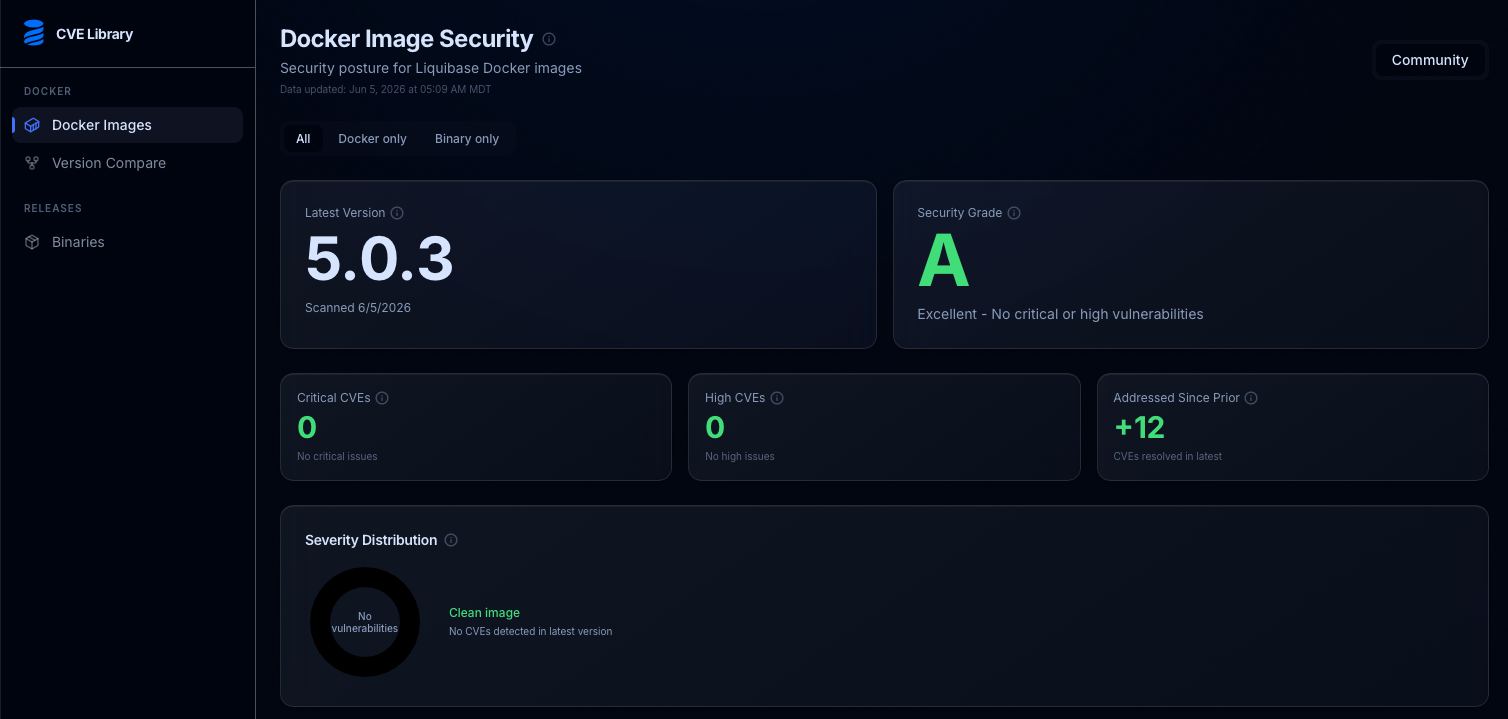
The dashboard shows the security grade, CVE counts by severity, and how many vulnerabilities have available fixes for the latest release.
The security grade runs from A (no critical or high vulnerabilities) to F. Below the grade you see the counts of critical, high, and additional CVEs so you can quickly tell how serious the risk is without reading through the full list.
CVE Lookup
Below the dashboard, the CVE Lookup table lists every analyzed release. For each version you can see the total CVE count, a breakdown by severity, the maximum CVSS score, and how many have a fix available. Clicking a version opens the full vulnerability list for that release.
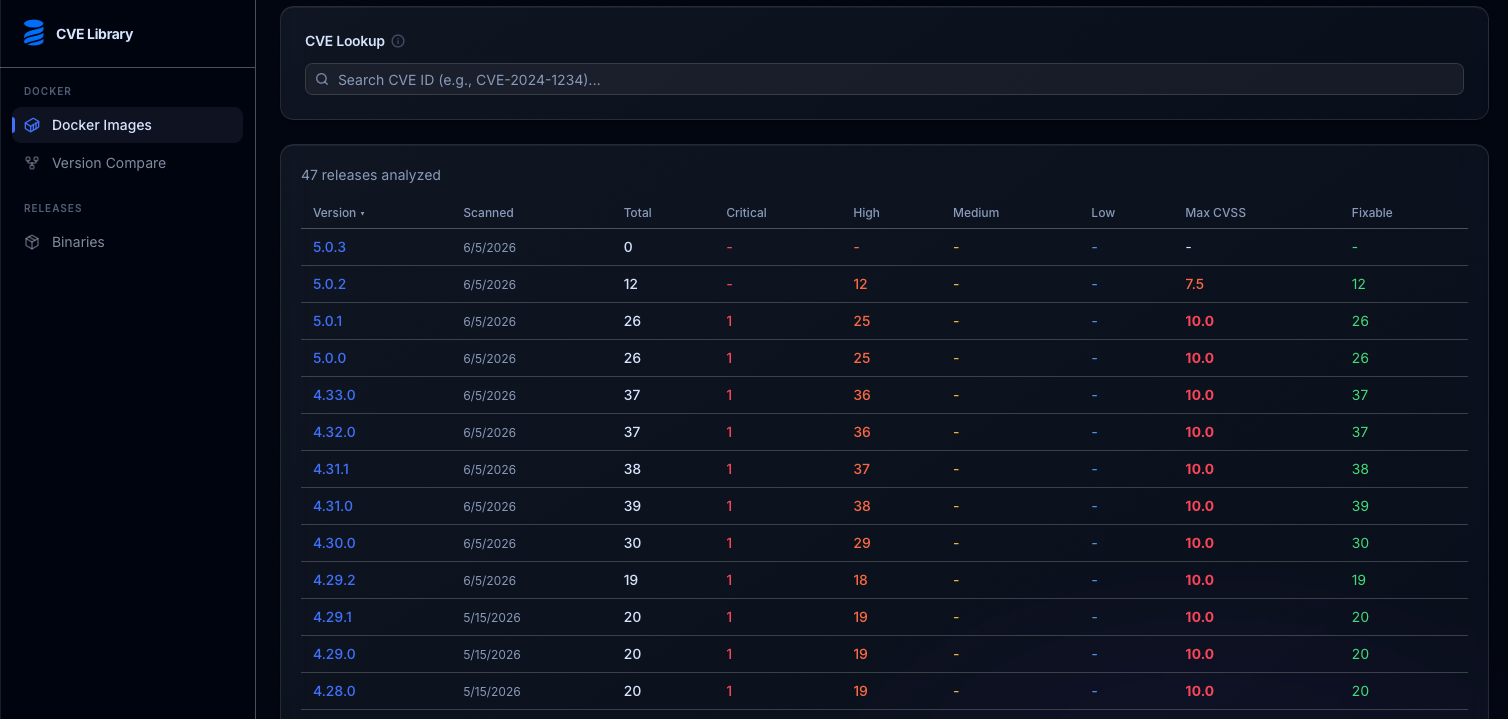
The version list shows CVE counts for every Liquibase Community release, making it easy to compare security posture across versions.
For each individual vulnerability, the list shows:
CVE ID — the standard identifier such as CVE-2024-1234, linked directly to the advisory source
Severity — Critical, High, Medium, or Low, color-coded for quick scanning
CVSS score — the numerical risk score from 0 to 10
Affected package — the library or component carrying the vulnerability and its installed version
Fix available — the package version that resolves it, and where applicable, the first Liquibase image version where the CVE no longer appears
Component type — whether the vulnerability is in an OS package, the JRE, a bundled JAR, or a database driver
The full list is filterable by severity, component type, and keyword search, and can be exported as CSV or PDF.
Version Compare
The Version Compare tool lets you select any two releases and see exactly which CVEs were resolved, introduced, or unchanged between them. If you are evaluating an upgrade, this view makes it easy to quantify the security improvement a newer version provides.
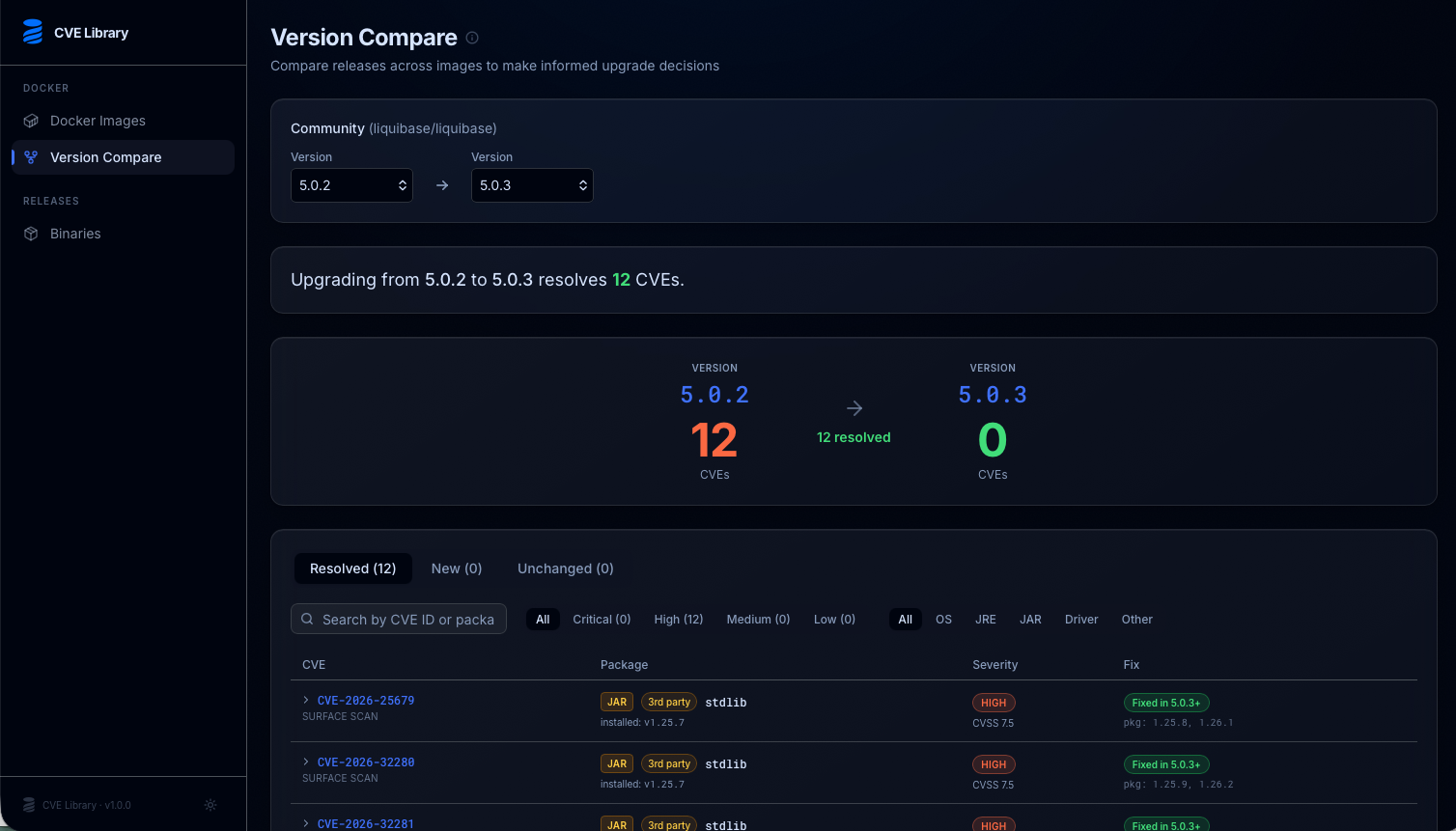
The version compare view shows how your security posture changes when upgrading. Upgrading from 5.0.2 to 5.0.3, for example, resolves 12 CVEs and introduces none.
Liquibase Binary
The Binaries section covers vulnerabilities in the Liquibase JARs themselves, separate from the Docker image. This applies regardless of how you run Liquibase. Whether you install via tarball, package manager, or Docker, the binary view reflects the same underlying code.
One important distinction: Liquibase does not ship CVEs in its own code. Any vulnerabilities in this section come from upstream dependencies. The Binary page explicitly separates Liquibase Core (first-party) CVEs from Upstream Dependency (third-party) CVEs so you can see at a glance where a vulnerability originates.
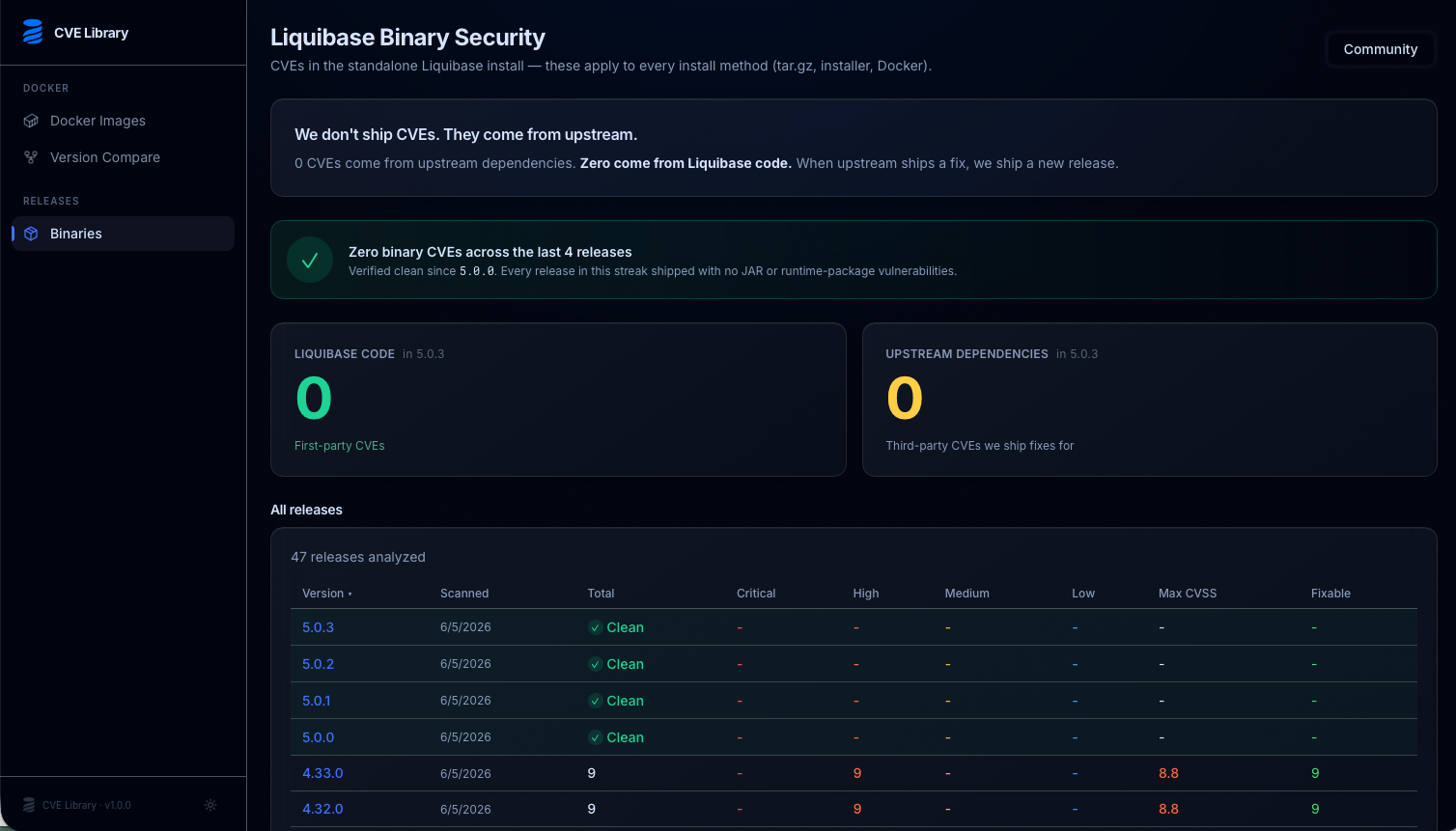
The Binary Security page shows that all first-party Liquibase code is clean and tracks third-party dependency vulnerabilities across every release.
CVE Library and Liquibase Secure
The CVE Library is designed for Liquibase Community users. If you are a Liquibase Secure customer, your security workflow uses VEX (Vulnerability Exploitability eXchange) files instead. Liquibase Secure publishes VEX files alongside each release. These files contain Liquibase's official CVE assessments and integrate directly with scanning tools like Trivy and Grype so your results reflect actual risk rather than raw counts.
If you want the fastest and most accurate CVE remediation, we recommend upgrading to Liquibase Secure. Secure customers receive proactive CVE assessments, enterprise SLA-backed remediation, and VEX files that keep your scanner results clean across every release.