- Task
- Version · 6.0.1
- Manage
Remove an owner
Last updated: October 15, 2026
Take full control of a project, connection, or changelog away from someone who no longer needs it.
Before you begin
You can manage the owners of anything you own. To change the owners of something you do not own, you must be a member of the Administrators group. The account that set up the server is a member.
Procedure
Open the item
Go to Projects, Database Connections, or Changelogs in the sidebar, and select the item to open its page.
Open the item's access settings
On a project, select the Access tab.
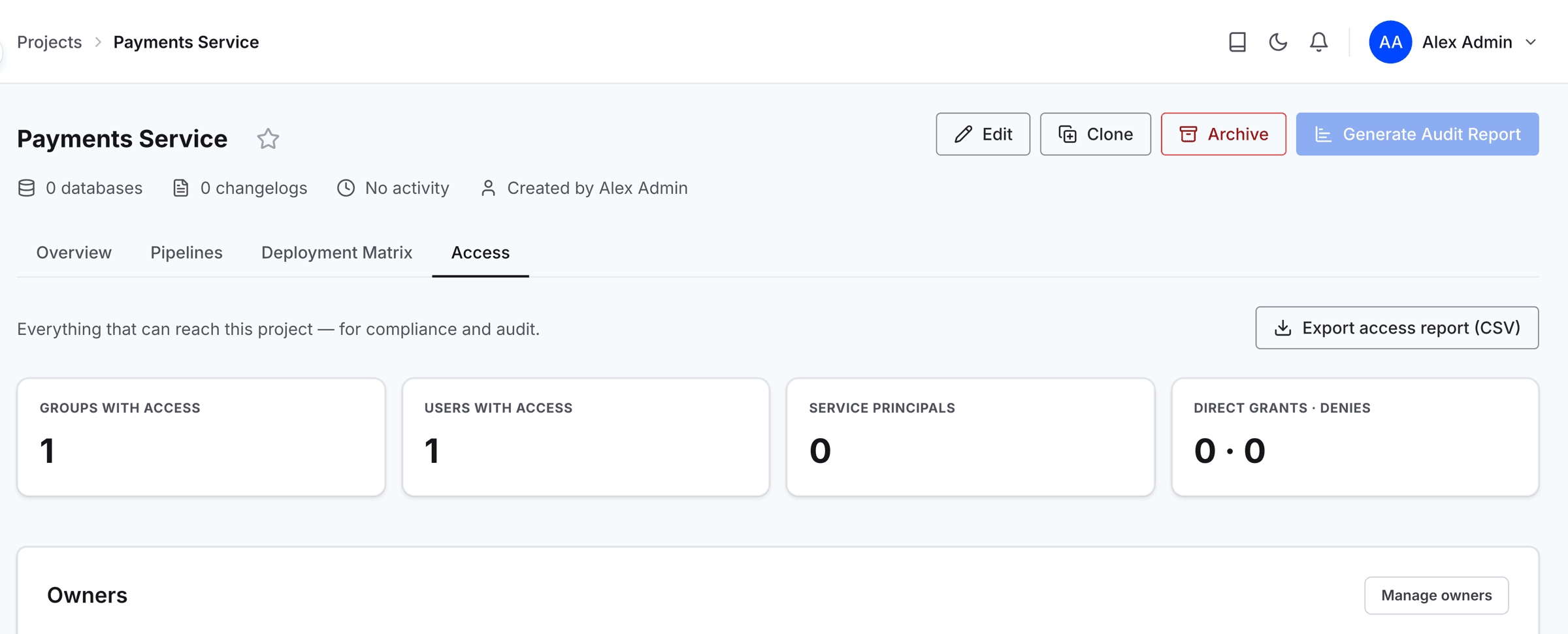
On a connection or changelog, select Access to open the dropdown.

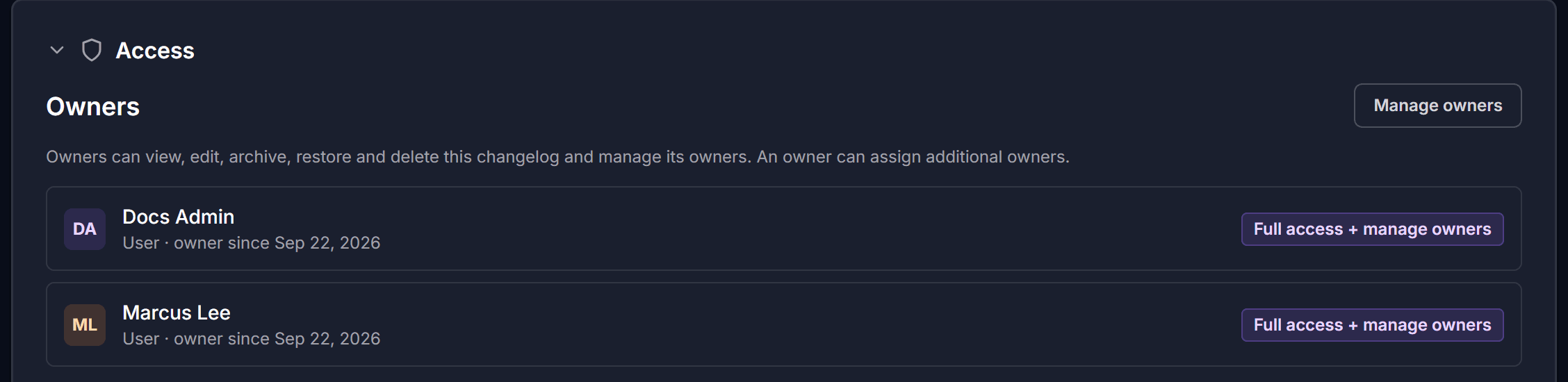
Open the Manage owners dialog
The Owners section lists everyone who owns the item and whether each owner is a user or a group.
Select Manage owners to open the dialog.
Remove the owner
Under Current owners, select Remove on the row you want to take off.
Note: An item cannot be left without an owner. When one owner remains, Remove is unavailable until you add another owner. To hand an item over, add the new owner first and then remove the old one.
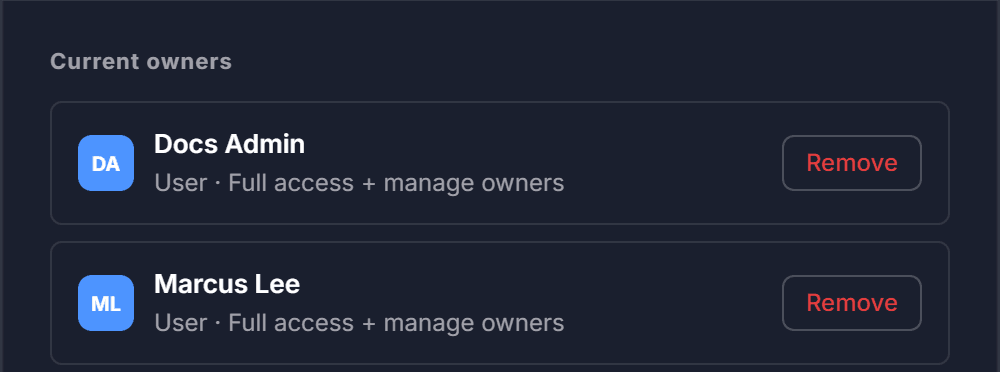
Close the dialog
When you are finished, select Done.