- Concept
- Version · 6.0.2
- Manage your account
Manage your account
Last updated: November 17, 2026
Select your profile image in the top-right corner of the dashboard to open your account menu, which holds Profile & Settings, Personal access tokens, and Log out.
Before you begin
Your account lives in the Liquibase Secure server web application. You need a running server and its URL from your administrator. If you have not set up the server already, you can run Liquibase Secure server locally on your own machine, or use an internally deployed server. Both guides are under Set up and configure Liquibase Secure server.
Profile & Settings
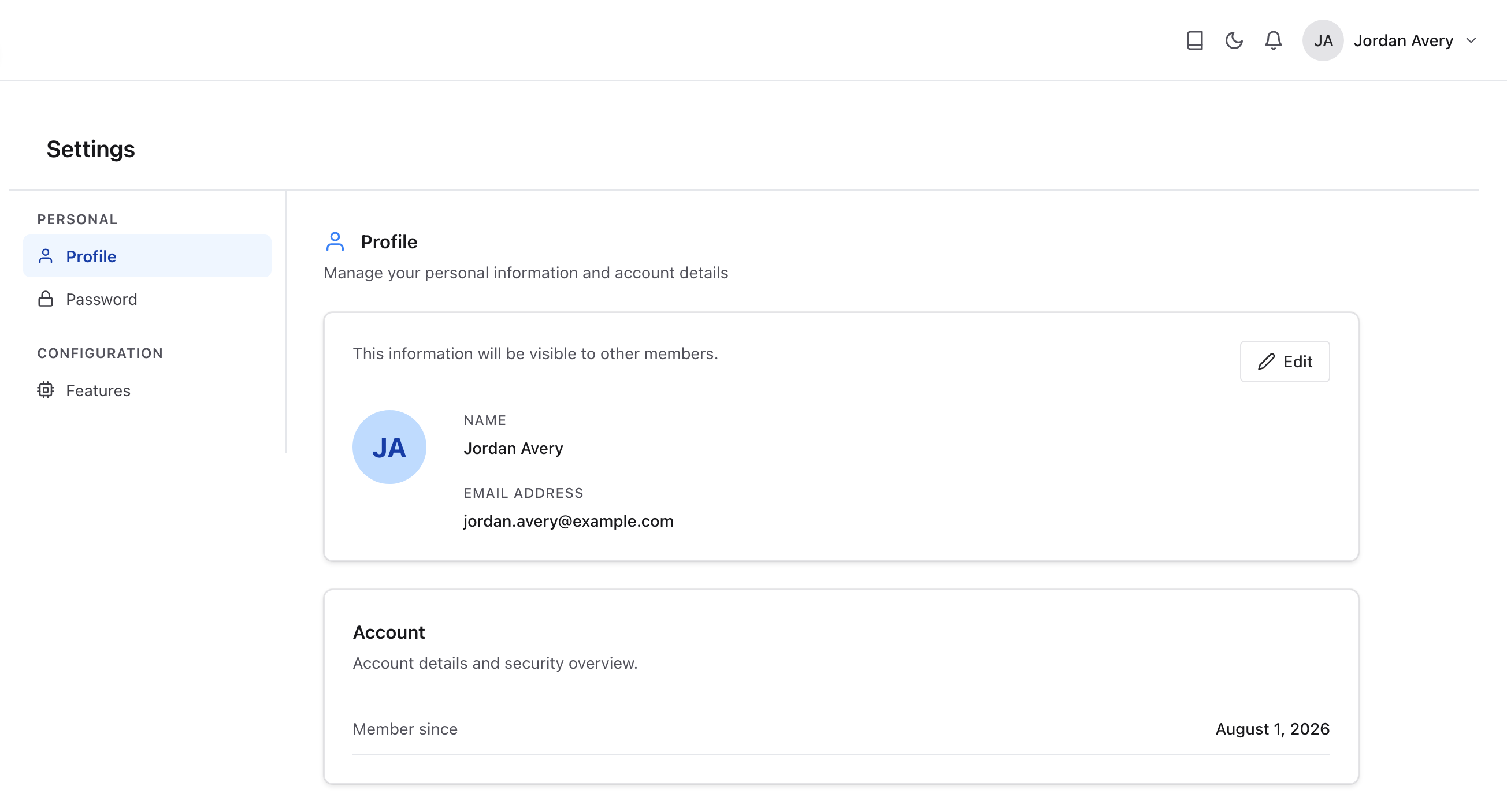
Profile & Settings opens the Settings page. The left sidebar is organized into two sections: Personal, which holds the Profile and Password tabs, and Configuration, which holds the Features tab.
Profile
The Profile tab shows the personal information visible to other workspace members: Your name and email address. Select Edit to update them.
Your account's Member since date is shown in the Account section below your profile information.
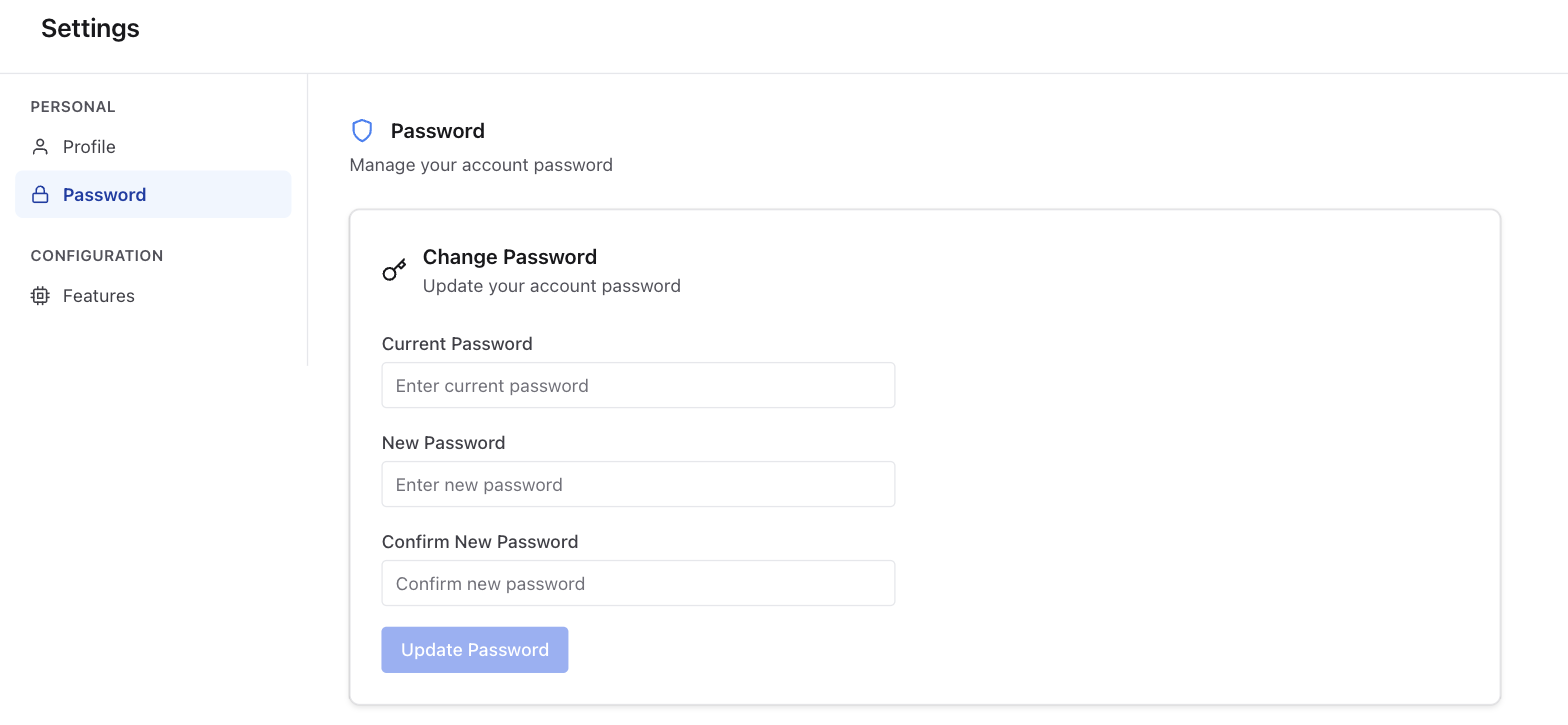
Password
The Password tab lets you update your account password. Enter your current password, then enter and confirm a new password, and select Update Password.
Note: Liquibase Secure server does not provide its own two-factor authentication. If your organization requires multi-factor authentication, your identity provider enforces it when you sign in.
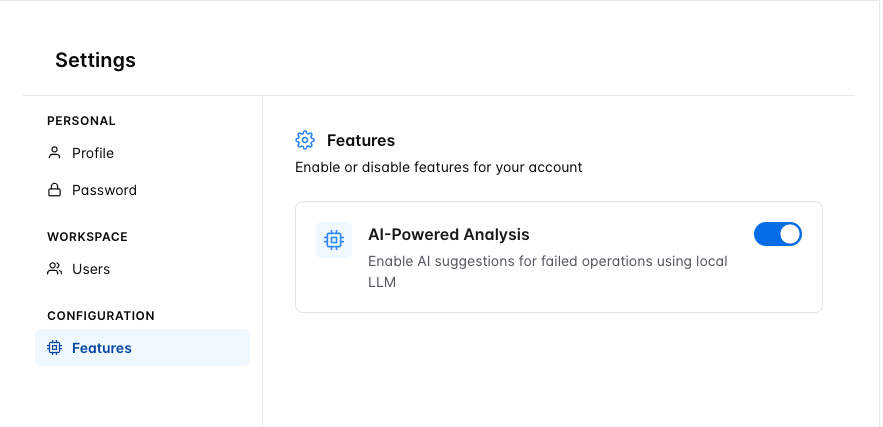
Features
The Features tab controls optional features for your account. AI-Powered Analysis enables AI suggestions for failed operations using a local LLM. Toggle it on or off to enable or disable the feature.
Users and access
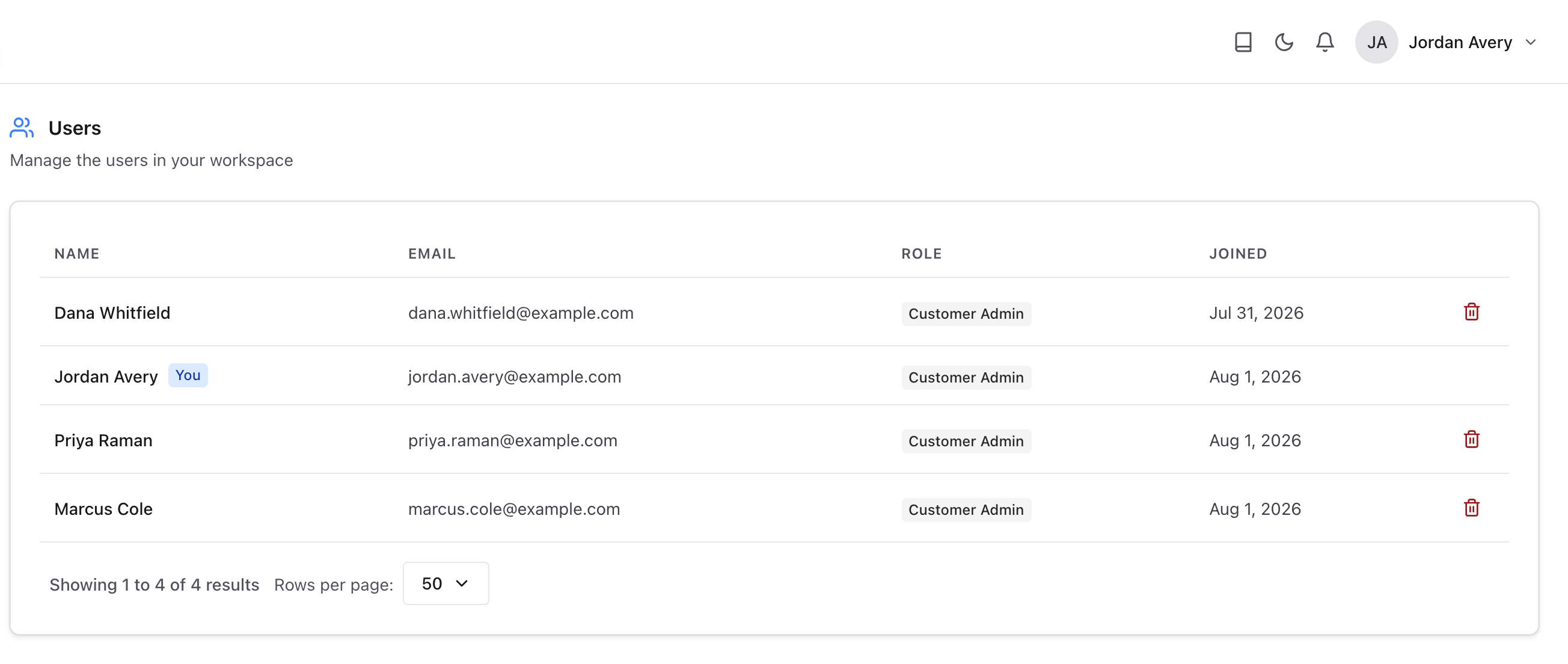
Users & Access is its own item in the left navigation, under Administer. It is not part of Settings. The Users page lists every member of your workspace, with columns for Name, Email, Role, and Joined date. Your own row is marked You. If you have the View access tokens permission, the list also has a Tokens column, which shows how many personal access tokens each person holds.
Access tokens
Liquibase authenticates to Liquibase Secure server with an access token, which you set as liquibase.platform.apiKey or LIQUIBASE_PLATFORM_API_KEY. The kind you use depends on where Liquibase runs:
Personal access token: Use it for Liquibase runs on your own machine, such as running policy checks locally. It belongs to you and acts with your access. Select Personal access tokens in your account menu to create a personal access token, review your tokens, and revoke them. Every personal access token expires, and none can be created while an administrator has turned them off for the workspace.
Service token: Use it for CI/CD pipelines. It belongs to a service principal rather than a person, and only a service token can send operation data. An administrator creates a service principal for each CI/CD pipeline, scopes it to the projects that pipeline deploys, and copies its service token.
Either kind of token is shown only once, when it is created. Service Principals and Access Tokens are their own items in the left navigation, under Administer, and appear only if you have the View access tokens permission.
Log out
Select Log out to end your session and return to the sign-in page.