- Task
- Version · 5.1
- User guide
Enable Liquibase License Tracking
Last updated: August 7, 2026
Liquibase License Tracking is currently in Public Preview. Features and capabilities may change based on customer feedback. For assistance or updates, contact Liquibase Support. Liquibase License Tracking (LLT) allows Liquibase Secure 5.0 users to monitor and report on their license utilization locally across teams, environments, and CI/CD pipelines. This feature provides visibility into active vs expired licenses, compliance risks, operational inefficiencies, and historical insights. Once enabled, this functionality allows you to produce an easy-to-analyze License Tracking report that contains:
The number of licenses tracked
Active licenses
Active licenses nearing expiry
Expired licenses
Total number of licenses
Total number of unique targets for active licenses
License inventory and utilization
A breakdown of the active license usage per tracking ID
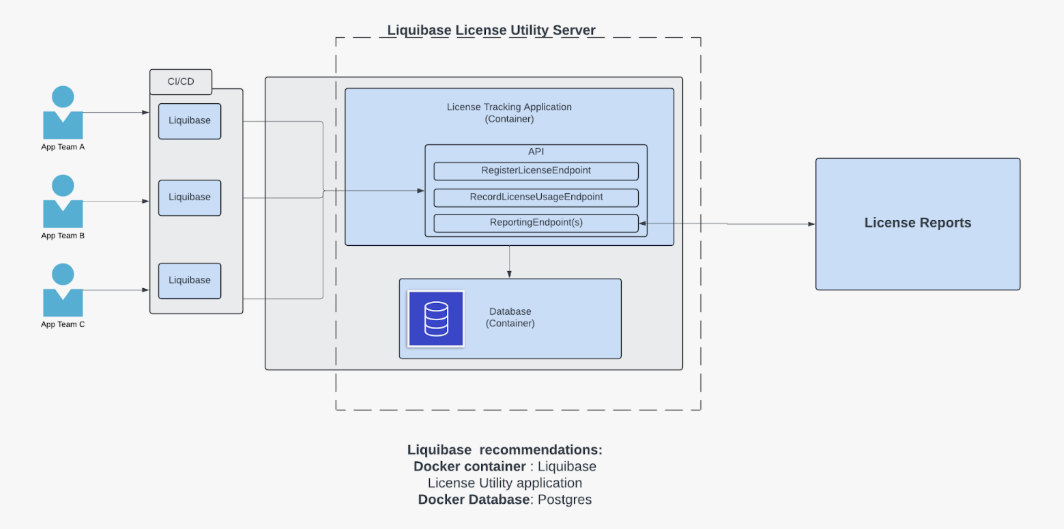
Procedure
To use Liquibase License Tracking, simply enable it within your existing Liquibase Secure installation.
The Liquibase License Tracking distributable is located in the dist folder inside your Liquibase installation.
Start the server.
Run this command in the CLI:
$ ./start.sh
You will see the server start within your terminal.
Open another instance of the CLI and navigate to where you store your changelog and liquibase.properties file.
In this example, the liquibase.properties file uses Postgre SQL.
Set the --license-tracking-enabled=true property
This can be done in your liquibase.properties file, as an environment variable, or in the CLI to turn on LLT.
Set the --license-tracking-url=<insert-your-url-here>
This URL is where your LLT application is accessible.
Run this command in the CLI:
liquibase -–license-tracking-enabled=true
--license-tracking-url=<insert-LLT-url-here>
-–license-tracking-tracking-id jane status
Navigate back to the terminal running LLT to see the log. In particular, you should note the Processing LicenseTrack item. That confirms that LLT is implemented correctly.
To confirm Liquibase is running, turn up the logging level.
Run the status command on the LLT by running this command:
Results
In the CLI you can see that Liquibase obtains license tracks, which include the database type, URL logging location, license key, and the user name.
Note: The user is the Tracking ID.