- Concept
- Version · 5.2.1
- User guide
What is the update SQL report?
Last updated: August 21, 2026
The update SQL report is a Liquibase operation report that shows you the SQL Liquibase would run during a database update, without modifying your database. It is a dry-run report: you can review the exact changes in an upcoming deployment before you execute them.
In Liquibase 4.33.0 and later, you can automatically generate an update SQL report using the update-sql command.
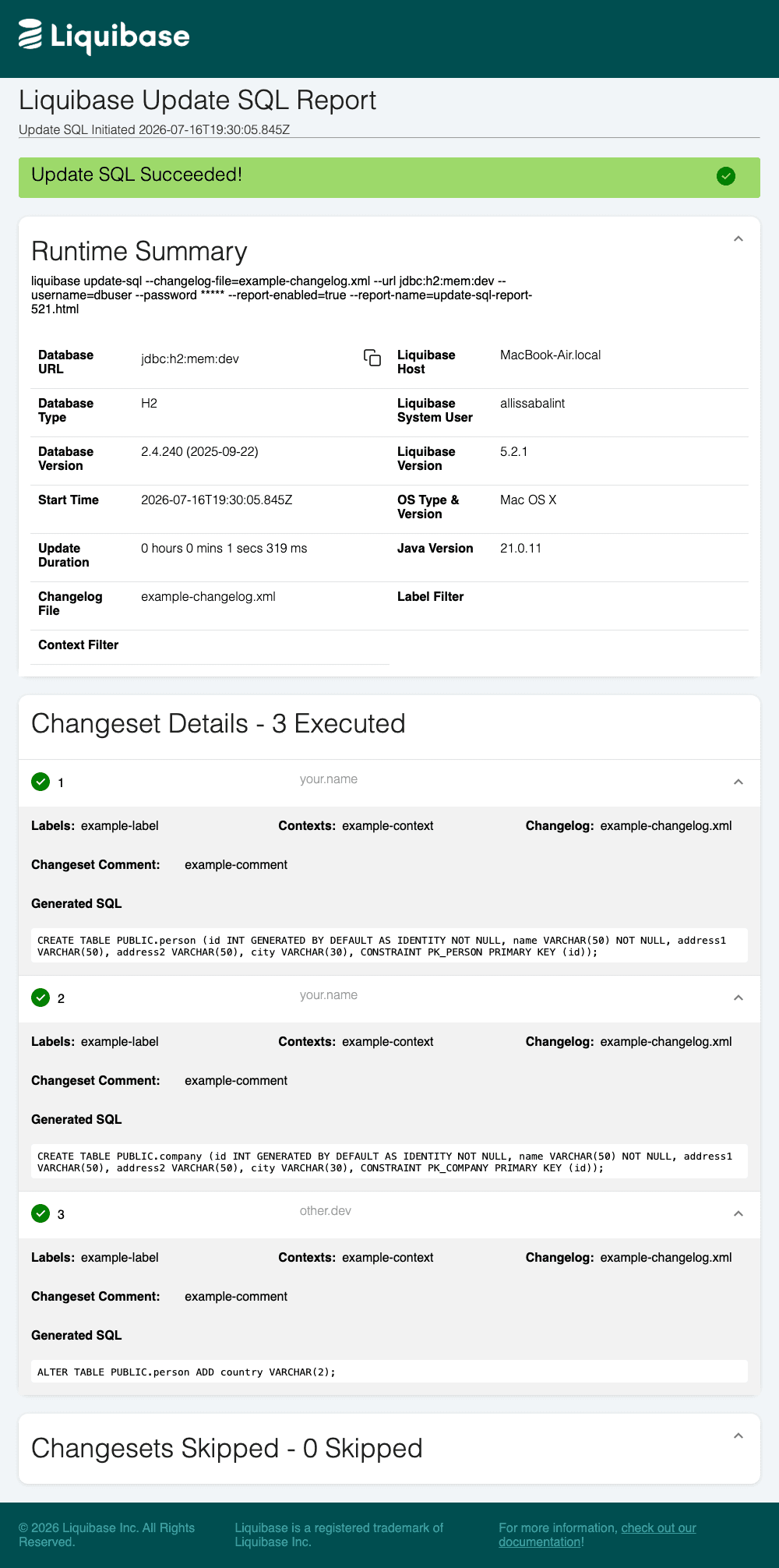
The update SQL report gives you a human-readable summary of your planned deployment, including runtime details, the changesets that would be deployed, the generated SQL for each changeset, and any changesets that would be skipped.
Uses
Using Liquibase update SQL reports can help developers, DBAs, DevOps engineers, and managers in the following ways:
Know exactly what will be deployed in an upcoming update, including the generated SQL for each changeset, before you run the
updatecommand.Review planned database changes for correctness and compliance without needing to analyze or interpret logs.
Collaborate with your team with shareable reports of upcoming deployments.
Setting parameters
You can modify the update SQL report output with the parameters listed in the tables on this page. In the CLI, global parameters go to the left of the command, and command parameters go to the right of the command.
liquibase \
    --reports-enabled=true \
    --reports-path=reports \
    --reports-name=update_sql_report.html \
  update-sql \
    --changelog-file="example-changelog.xml"
Note: For readability, this page shows parameters on new lines. If you type in the commands on a single line, do not include the backslashes \ shown in the examples.
You can also set parameters in your liquibase.properties file, as environment variables, or in a flow file. For a list of parameters and their syntax in each format, see What parameters can I use with operation reports?
Disable reports by default; enable only the update SQL report
If you want to keep reports disabled by default and enable only the update SQL report, you can use the command parameter --report-enabled (singular) on an update family command.
Note: The flow file example uses reports-enabled (plural) within globalArgs to enable all operation reports. To enable this specific kind of report, but not other reports, you must instead set report-enabled (singular) in cmdArgs.