- Concept
- Version · 6.0
- Deliver
What is the rollback report?
Last updated: September 29, 2026
The rollback report is a Liquibase operation report that provides human-readable information about your database rollbacks, including system, runtime, operation, and changeset information.
In Liquibase 4.27.0 and later, you can automatically generate a database rollback report using the Liquibase rollback family of commands: rollback, rollback-count, rollback-one-changeset, rollback-one-update, and rollback-to-date. In Liquibase 4.28.0 and later, you can also generate a rollback report as part of the update-testing-rollback command.
Uses
Using Liquibase rollback reports can help developers, DBAs, DevOps engineers, and managers in the following ways:
Understand and share the data on the execution of
rollbackcommands.Easily scan and understand a high-level overview of the changesets rolled back.
Get a detailed view of both successful and failed rollbacks.
Collaborate with your team with shareable reports in PDF format.
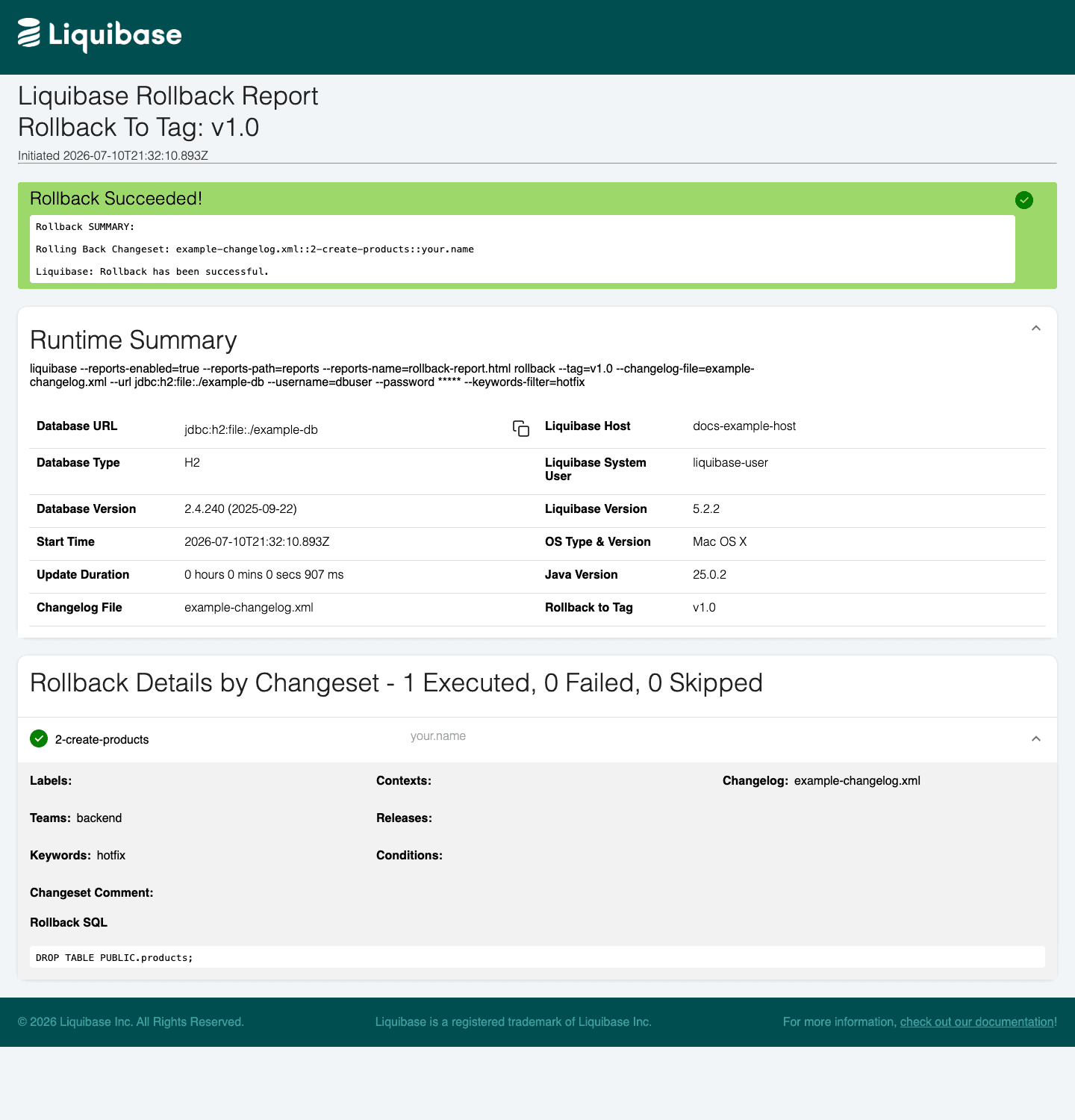
Changeset attributes and filters in the report
The changeset details display each rolled-back changeset's own labels, contexts, teams, releases, keywords, and conditions attribute values. Attributes the changeset does not set are listed with no value. For example, if you run liquibase rollback-count 1 --keywords-filter=hotfix, the rolled-back changeset's details show the keywords value that matched the filter.
The rollback report's Runtime Summary does not include a filter section.
Note: The teams, releases, keywords, and conditions attributes and their filter arguments require Liquibase Secure 5.2.2 or later. See teams-filter, releases-filter, keywords-filter, and conditions-filter.
To keep the report readable when many changesets are filtered out, set --reports-suppress-skipped=true (or --report-suppress-skipped=true for a single command) to hide the detail rows for skipped changesets. The report still shows the total number of skipped changesets in its summary.
Examples
Setting parameters
You can modify the rollback report output with the parameters listed in the tables on this page. In the CLI, global parameters go to the left of the command, and command parameters go to the right of the command.
liquibase \ --reports-enabled=true \ --reports-path=reports \ --reports-name=rollback_report.html \ rollback \ --changelog-file="example-changelog.xml"
Note: For readability, this page shows parameters on new lines. If you type in the commands on a single line, do not include the backslashes \ shown in the examples.
You can also set parameters in your liquibase.properties file, as environment variables, or in a flow file. For a list of parameters and their syntax in each format, see What parameters can I use with operation reports?
Disable reports by default; enable only the rollback report
If you want to keep reports disabled by default and enable only the rollback report, you can use the command parameter --report-enabled (singular) on a rollback family command. For example:
Parameters
Our What parameters can I use with the operations report? article contains all parameters that you can use for the operations report.