- Concept
- Version · 6.0
- Create
Organize changes by release
Last updated: September 29, 2026
This approach tracks changes made during each release and can be useful as a tracking and auditing mechanism. This is popular for teams with database changes not tracked in a source code repository before adopting Liquibase.
Though no history exists for each object, this approach enables change tracking moving forward.
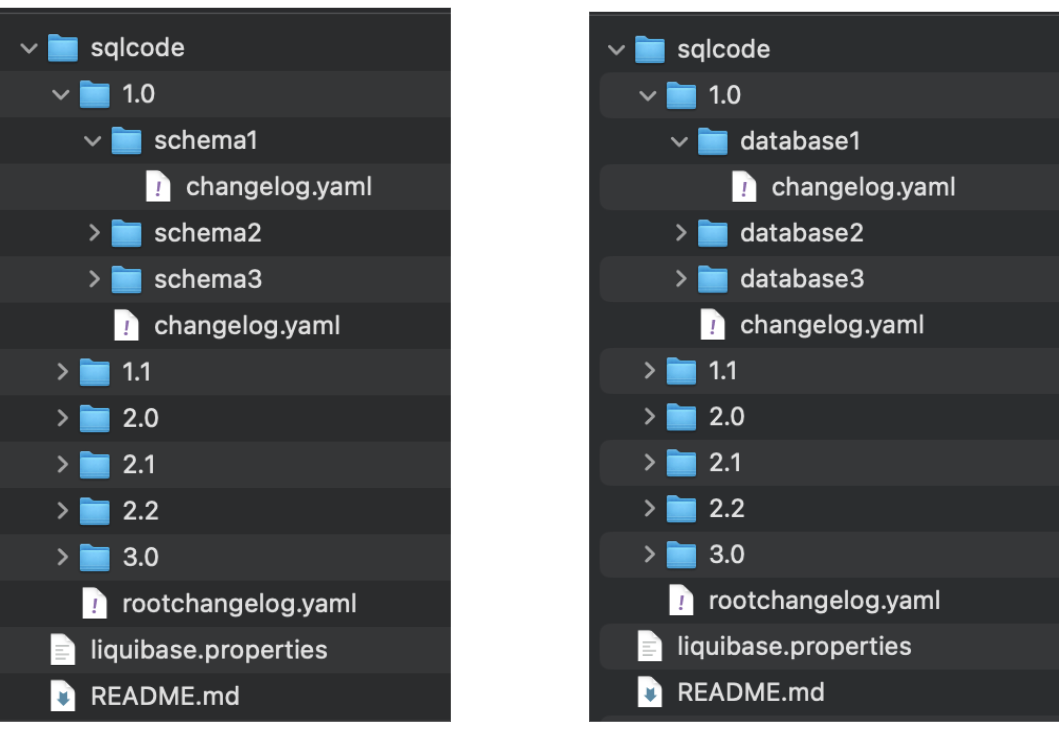
Below is what a directory structure organized by release may look like:
Best practices
Dedicate a top-level directory for all database scripts, such as sqlcode, to point to the path to the database changes in Liquibase.
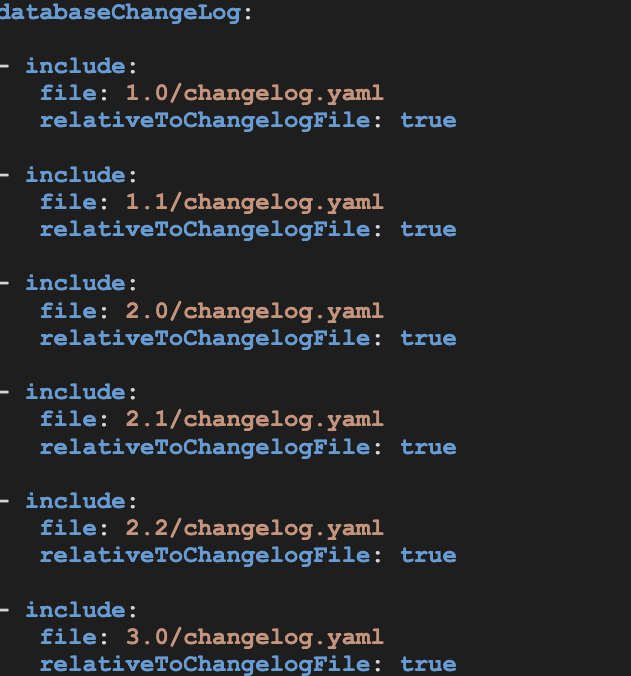
Use a Liquibase root (main) changelog file inside the top-level `sqlcode` directory to define the order in which the release subdirectories will traverse. This eliminates the need for Liquibase to make multiple calls to a changelog file in each object's subdirectory. Instead, a single call is made to the root changelog file.
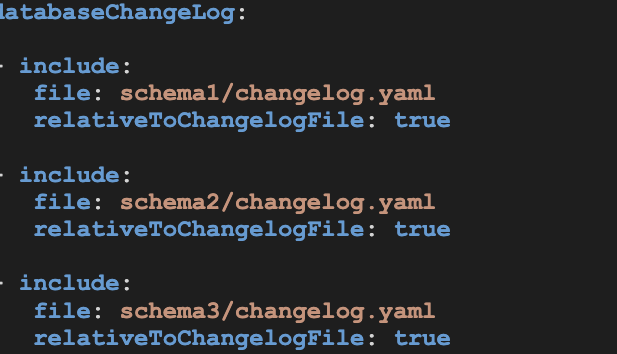
If your application (or data team) deploys to multiple schemas or databases, it would be desirable to create schema or database directories. Place release subdirectories inside each schema or database directory. Include a changelog file in each schema or database directory.
From the root (main) changelog file, use include tags to guide Liquibase to child changelogs located in each release subdirectory. From here, use include tags again to point to child changelogs located in each schema or database subdirectory:
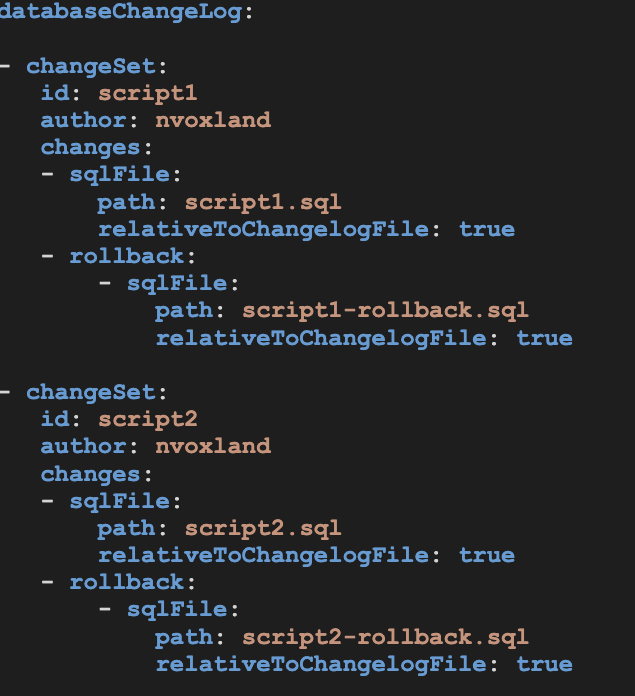
Use child changelogs in subdirectories for releases that contain changesets utilizing the `sqlFile` change type to reference specific SQL scripts for deployment.
This approach allows for the intentional selection of the scripts to be deployed and the execution order to be specified.
The sqlFile change type also allows you to handle different types of SQL, such as data, DDL, DML, stored logic scripts, and other complex SQL. It also enables you to specify a separate rollback script for each changeset.
Visit the sample GitHub repository organized by releases. Download the code if you want to use this repository structure.
Organize changes by object or release
Before moving on to branching strategies, watch this short video on repositories for objects and releases.
Why the sqlFile recommendation matters
That last best practice is what connects your changelog layout to your rollback strategy. A separate rollback script per changeset is only possible because each changeset references a single SQL file, so the layout you pick here decides how granular your rollbacks can be later. See Implement a rollback strategy with SQL changelogs.
What this approach does not give you
Organizing by release records what shipped and when, which is what makes it good for auditing. What it does not give you is the history of a single object in one place: to see every change to one table you read across every release directory that touched it.
If that history matters more to you than the release record, compare Organize changes by object, and note that for an existing database Liquibase can generate the by-object structure for you.
Reference
Include and IncludeAll changelog attributes
SqlFile change type