- Concept
- Version · 6.0
- Monitor
Identify drift
Last updated: September 29, 2026
Notice out-of-band change. See which databases have detected drift, and since when.
Drift detections are reported to the server like any other operation. Each one names the database connection it ran against, when it ran, and whether differences were found. The Drift views surface the databases with detected drift so you notice out-of-band change without hunting for it.
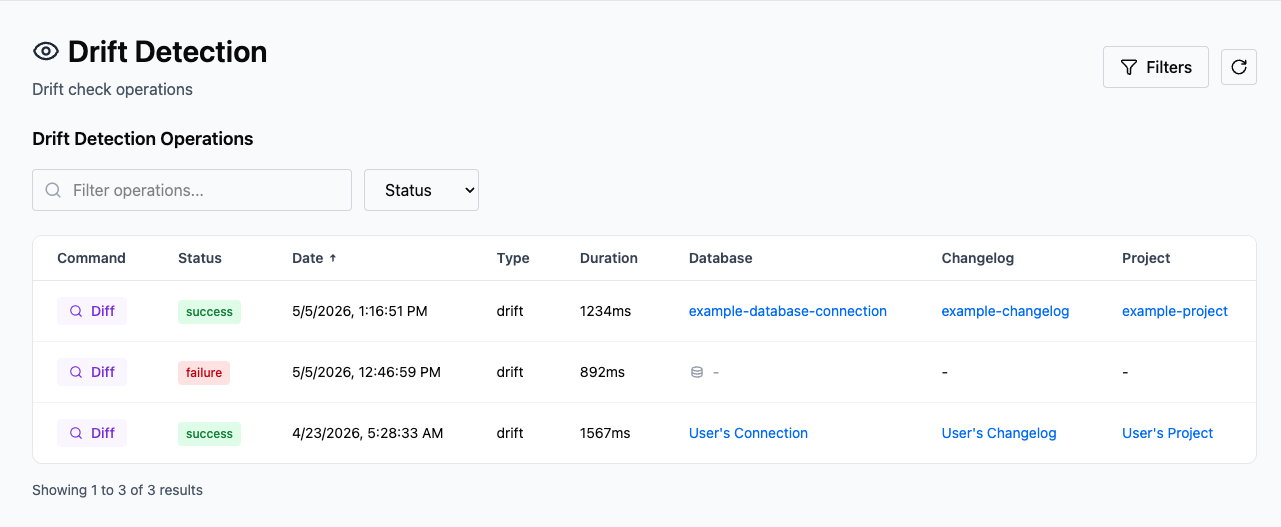
Read the Drift column
Every diff and diff-changelog run appears in the dashboard, whether or not drift was found. The Status field reflects whether the Liquibase command completed successfully, not whether drift was detected. To see whether drift was actually found, check the Drift column. It reads Drift when the check found differences and Clean when it did not.
The Changes column breaks down what each check found, counting added, removed, and modified objects. Counts of zero are shown de-emphasized rather than hidden, so you can confirm nothing of that type changed.
The views and their fields are described in What is the Drift Detection dashboard?.