- Concept
- Version · 6.0
- Monitor
Understand where drift occurred
Last updated: September 29, 2026
From “this database drifted” to the exact objects that changed.
A drift detection is specific. It names the objects that differ, such as tables, columns, indexes, and constraints, and shows how they differ from the tracked state. Open a detection to see the per-object breakdown and identify what changed outside Liquibase.
The per-object breakdown
The Drift Detection Results section on the operation's details page organizes every detected change into All, Added, Removed, and Modified tabs. Each entry shows the object's fully qualified name, its object type, a badge for the change type, and how long ago the change was first detected.
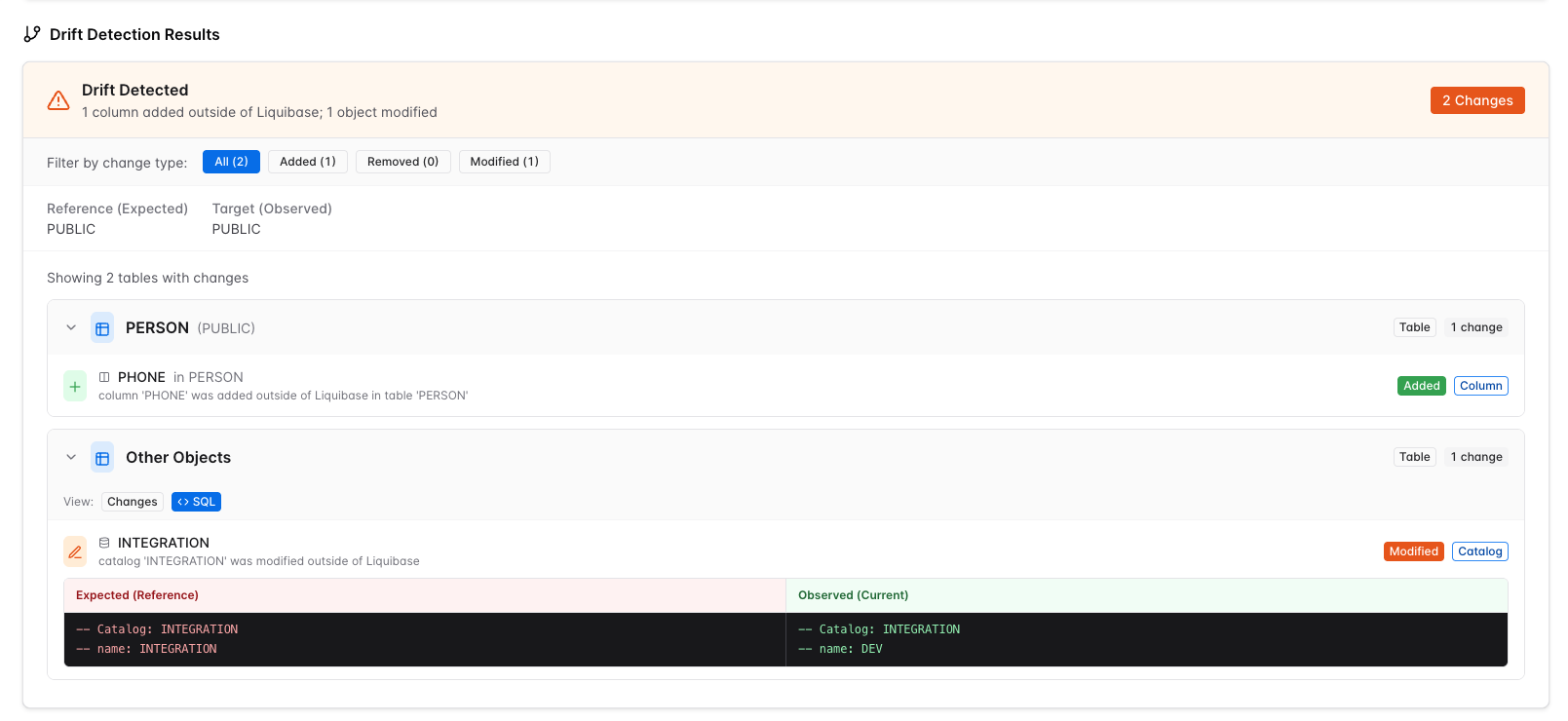
Select an entry to expand it and see the object's full definition rendered as a source-control diff. Added objects show their complete new definition. Removed objects show their previous definition. Modified objects show an inline diff of the prior and new versions.