- Concept
- Version · 6.0
- Create
Secure setup using GitHub Actions secrets
Last updated: September 29, 2026
If GitHub Actions runs your deployments, store the connection details as environment secrets rather than repository secrets. A workflow targeting QA then cannot read production credentials, which is the property you want when the same workflow file serves every environment.
1. Create an environment for each target
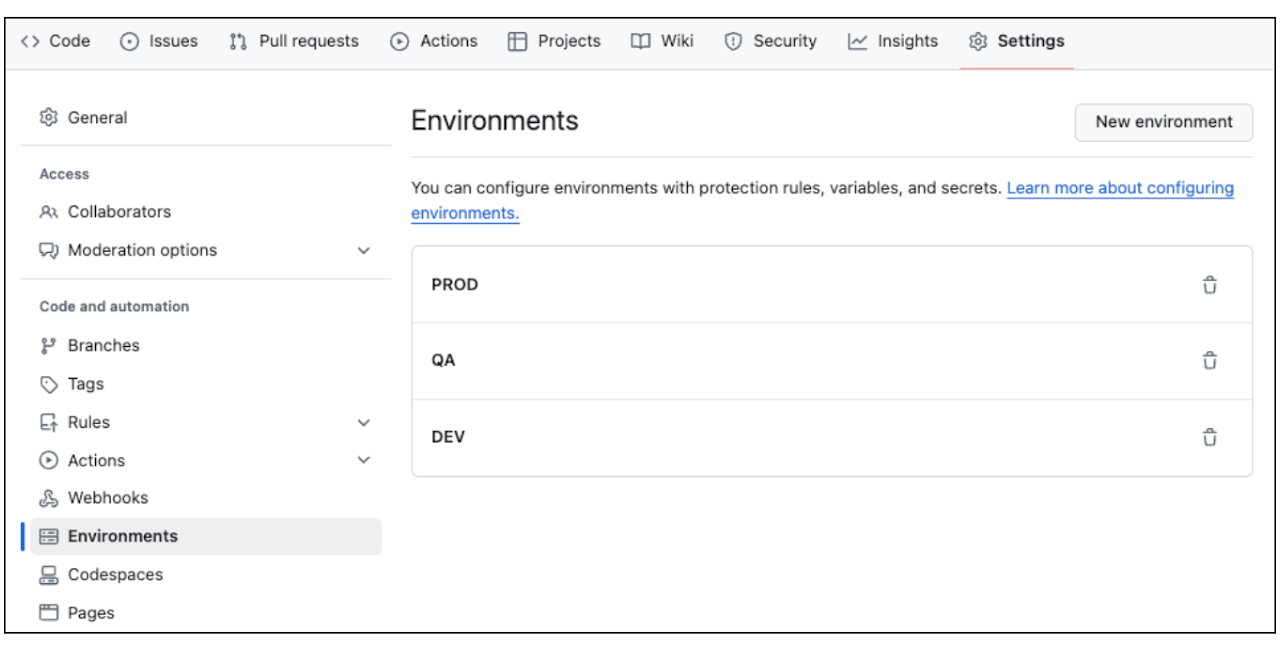
In your repository, go to Settings > Environments and create one environment per deployment target.
2. Add the connection secrets to each environment
In each environment, add a secret for the URL, the username, and the password, named to match the Liquibase environment variables:
LIQUIBASE_COMMAND_URLLIQUIBASE_COMMAND_USERNAMELIQUIBASE_COMMAND_PASSWORD
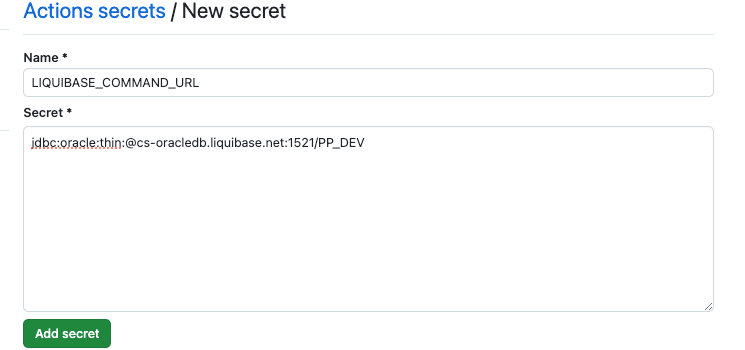
Naming them exactly as the environment variables means the workflow does not have to translate anything, and there is one less place for a typo to hide.
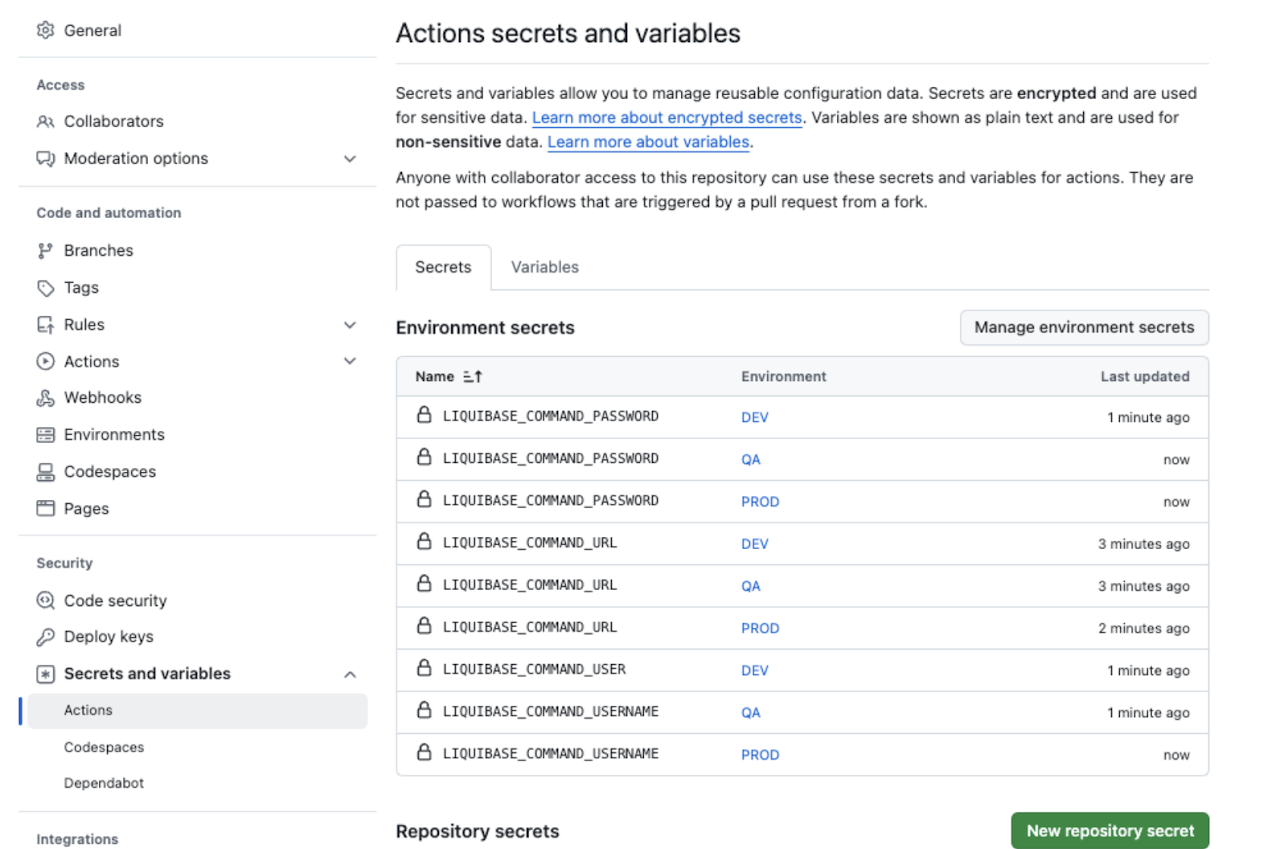
Once all three exist in all three environments, the secrets list shows nine entries:
3. Select the environment in the workflow
Set environment: on the job, and map the secrets to the Liquibase variables:
secrets.X resolves against the environment named in environment:, so the same workflow deploys to a different database purely by changing that one value, usually from a matrix or an input.
Why this is worth more than secret storage
Environments are also where GitHub keeps protection rules. Requiring a named reviewer before a job in the PROD environment runs gives you a human approval step that is enforced by the pipeline rather than by convention.
That is usually the cleanest way to satisfy an auditor who expects a person to sign off on a production change, because the approval is recorded against the deployment rather than in a ticket somewhere else. See Change authorization best practices.
Where to go next
Use GitHub actions with Liquibase for the full workflow, not just the credentials
Secure setup using environment variables for the variables these secrets populate