- Concept
- Version · 6.0
- Monitor
Find affected deployments and databases
Last updated: September 29, 2026
Pivot from a policy result to the deployments and databases it affects.
A policy question often turns into an impact question. Which deployments ran with this violation, and which databases were touched? To answer it, pivot from the check result to the operations it belongs to. Policy executions are attributed to the same registered changelogs and database connections as deployments, so you can filter deployment activity to the affected connection or changelog and see what actually shipped.
Trace a violation to changesets and objects
In an operation's Findings, the By Changeset tab shows one row per changeset flagged by at least one check, with the changeset's three-part identifier and a summary of the violations against it. The By Database tab shows one row per flagged database object. Use these tabs to turn a check result into a list of the artifacts it affects.
Confirm which database was touched
The Database Details card names the connection the checks ran against. When the database is registered in the server, the name links through to its connection page, where you can see the rest of its activity.
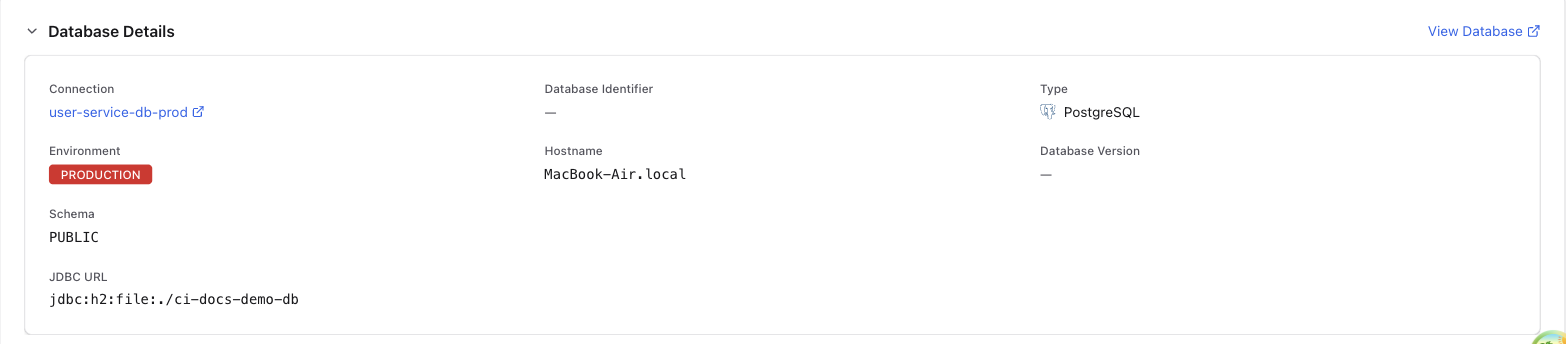
See View database deployments for the deployment views and their filters.