- Concept
- Version · 6.0
- Manage
What are changelogs?
Last updated: September 29, 2026
What a changelog record is, and what its dashboard and details screens show.
A changelog in the web application is a record, not a file. It carries a name, a format, Git coordinates kept for documentation, and an identifier. The changelog file itself lives in your repository and is authored with the CLI or your editor; the record exists so that runs of that changelog can be attributed, tracked, and governed in the dashboards.
The Changelogs dashboard
The dashboard lists every registered changelog in your workspace, searchable by name, with format counts and recent activity. New Changelog opens the registration form; cloning a changelog reuses its details with a fresh identifier.
The changelog details page
Opening a changelog shows its identifier (the value you set in your Liquibase configuration to link runs to this record), its Git details, its project associations, and every operation attributed to it: deployments, policy results, and drift detections filed under this changelog.
The Changelogs dashboard
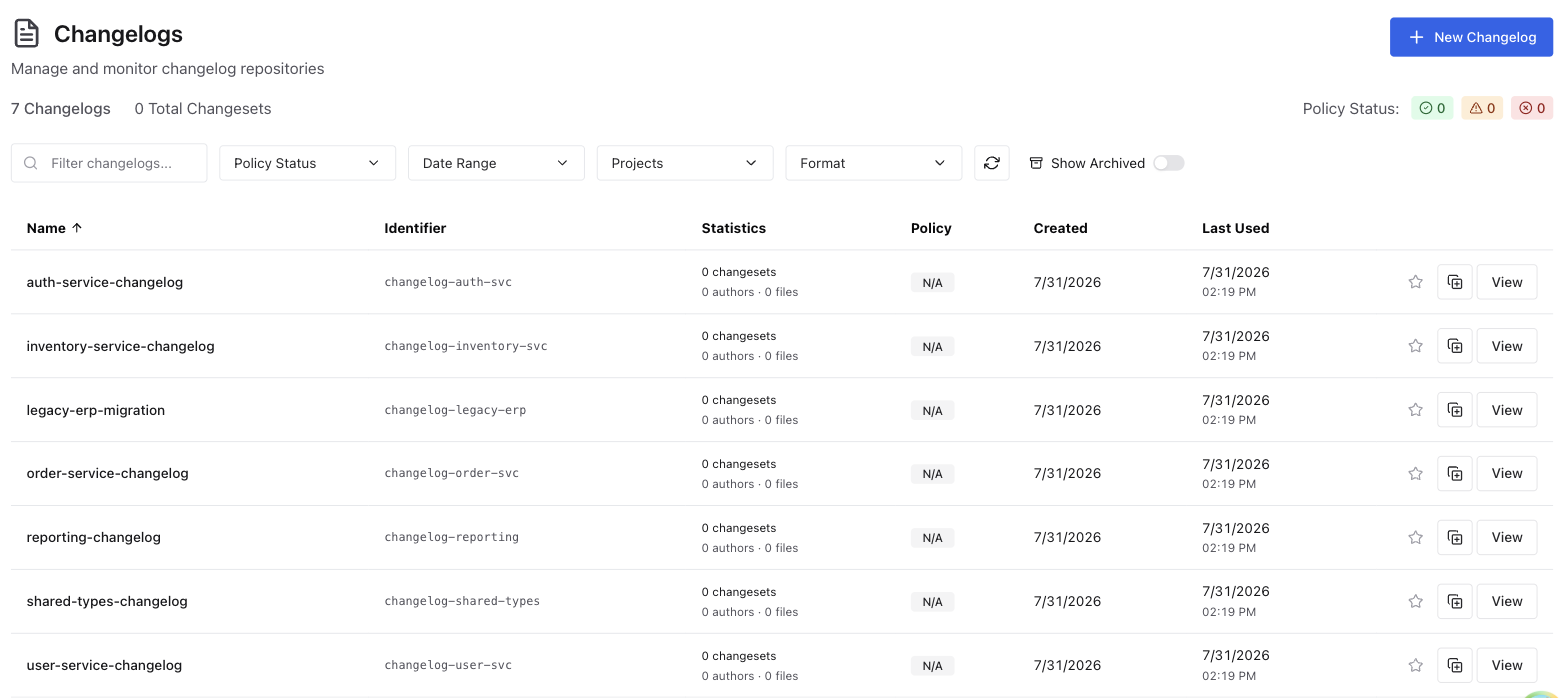
The Changelogs dashboard gives you a centralized view of all changelog repositories connected to your Liquibase account. For each changelog, you can see its identifier, the number of changesets, authors, and files it contains, its policy check status, and when it was created and last used. A policy check status summary in the top right shows an at-a-glance count of changelogs that are passing, have warnings, or have violations.
To register a changelog, select + New Changelog from the dashboard. Once you've created the record, copy its identifier and set it as the LIQUIBASE_PLATFORM_CHANGELOG_IDENTIFIER environment variable in your Liquibase environment. This links any operations you run to that changelog in the server. See Create a changelog.
You can search for a changelog by name using the Filter changelogs search bar. Use the dropdown filters to narrow the list by Policy Status, Date Range, Projects, or Format. Toggle Show Archived to include archived changelogs in the list.
Changelog and project associations
A changelog can belong to more than one project, and a project can include more than one changelog. This many-to-many relationship lets teams share changelogs across different views of the same databases without duplicating work.
For example, a team managing a catalog microservice might maintain a single changelog and a focused the server project that includes only that changelog and its databases. A separate DevOps team overseeing multiple microservices can create their own project that includes the catalog changelog alongside changelogs from other services. This gives them a broader view without affecting the catalog team's project.
As another example, an organization might require all teams working on PostgreSQL databases to deploy a shared common changelog alongside their own application changelog. Each team creates a the server project that includes both the mandated common changelog and their application-specific one.
The Changelog details page
Selecting a changelog from the Changelogs dashboard opens its detail page. This page gives you a complete view of the changelog's repository information, policy check status, statistics, operation history, and changesets.
At the top of the page you can see the changelog name, its identifier, format, and when it was created. From here you can also Edit or Archive the changelog.
Note: Archiving a changelog hides it from the projects it belongs to, and from their changelog counts, without removing it from them. Restore it and it reappears in each one.

Repository Information
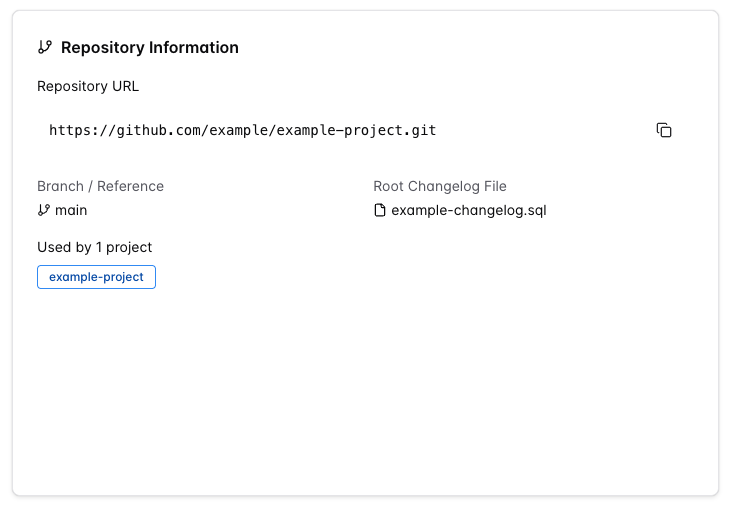
Shows the Git metadata associated with the changelog.
Field | Description |
|---|---|
Repository URL | The URL of the Git repository that contains the changelog. |
Remote | Shown in place of Repository URL when no URL was recorded. Displays the remote's name, with its type (for example, Git) as a badge. When the changelog has neither, the card shows "No remote repository configured" instead. |
Branch / Reference | The branch name, tag, or full ref path. |
Root Changelog File | The path to the root changelog file. |
Used by | The projects this changelog is associated with. |
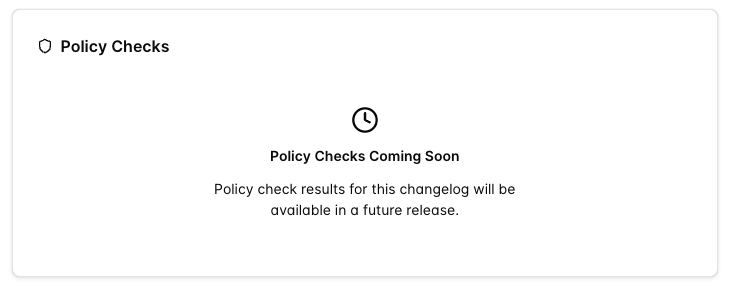
Policy Checks
Policy check results for the changelog will be available in a future release.
Statistics
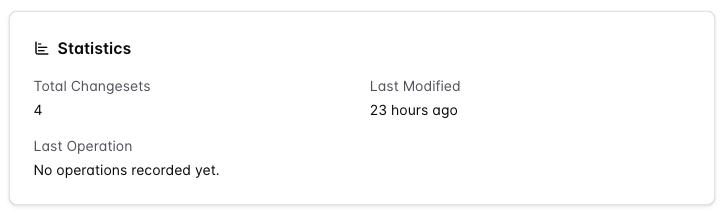
Shows summary counts and activity for the changelog.
Field | Description |
|---|---|
Total Changesets | The total number of changesets discovered in the changelog. |
Last Modified | When the changelog was last modified. |
Last Operation | The most recent operation run against this changelog. |
Operations History
Lists every Liquibase operation run against this changelog. You can search using the Filter operations bar and narrow the list by Status or Type.
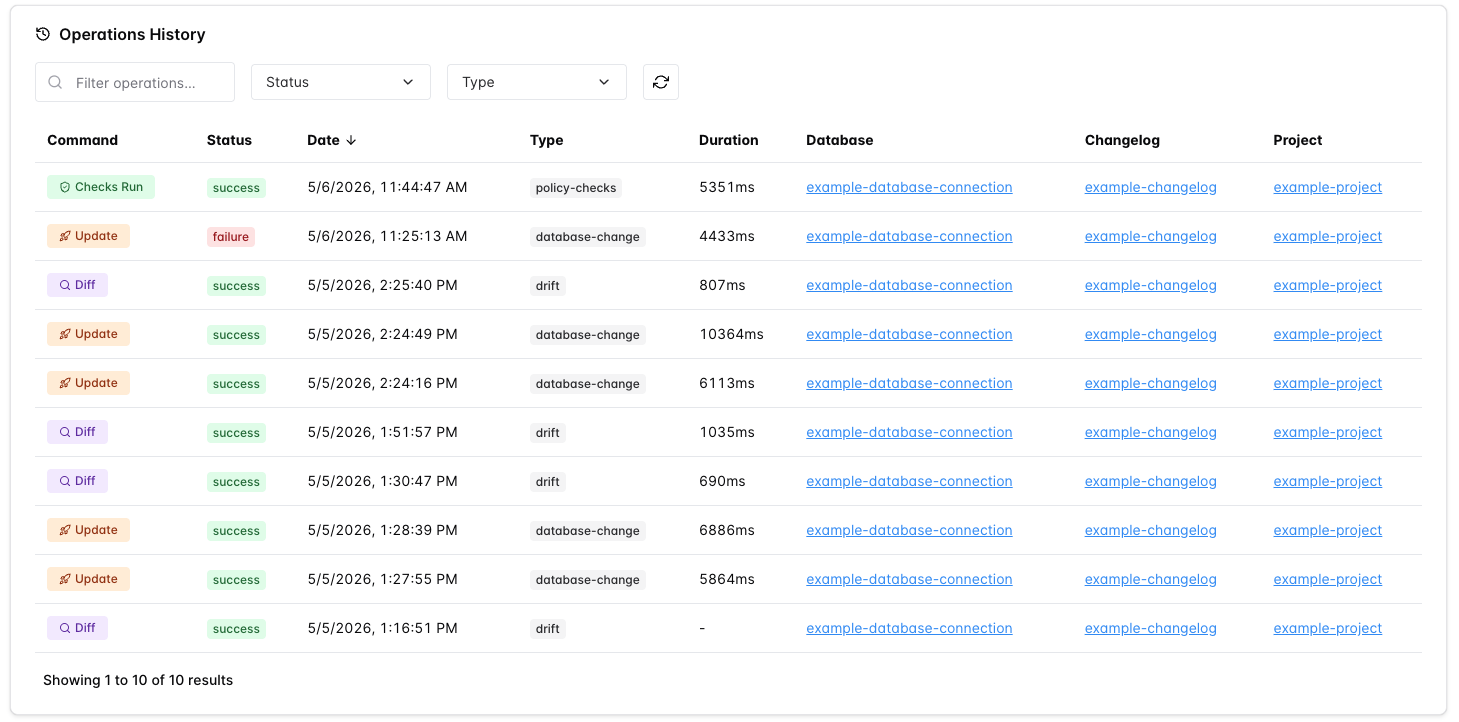
Field | Description |
|---|---|
Command | The Liquibase command that ran, such as |
Status | The result of the operation: |
Date | The date and time the operation ran. |
Type | The operation type, such as |
Duration | How long the operation took to complete. |
Database | The database connection the operation ran against. |
Changelog | The changelog associated with the operation. |
Project | The project the operation belongs to. |
Changesets
Lists all changesets discovered in the changelog, grouped by file. Select a file to expand it and view individual changesets. To view the deployment status of individual changesets across environments, see the associated projects listed in the Repository Information section.

Field | Description |
|---|---|
ID | A unique identifier for the changeset within the changelog file. |
Author | The author attributed to the changeset. |
File Path | The path to the changelog file that contains the changeset. |
Labels | Optional labels assigned to the changeset, used to control which changesets are run during deployment. |
Contexts | Optional contexts assigned to the changeset, used to filter execution based on the deployment environment. |
Description | A summary of the change the changeset applies, such as |