- Task
- Version · 6.0
- Manage
Create a service principal for a CI/CD pipeline
Last updated: September 29, 2026
A service principal is a non-human identity that a CI/CD pipeline uses to send operation data to Liquibase Secure server. It authenticates with an API token instead of a user account, and it can only send data for the projects you scope it to.
Service principals cannot sign in to the UI, cannot be members of groups, and cannot read data. Create one for each pipeline instead of giving the pipeline a broad workspace account.
Before you begin
You must be a member of the Administrators group. The account that set up the server is a member.
At least one project must exist. A service principal must be scoped to at least one project.
Have somewhere secure to store the token, such as your CI system's secret store. The token is shown only once.
Procedure
Open Service principals
Go to Administer and select Service Principals.
The list holds the API token principals your pipelines use. Each principal is scoped to one or more projects and is ingest only.

Create the principal
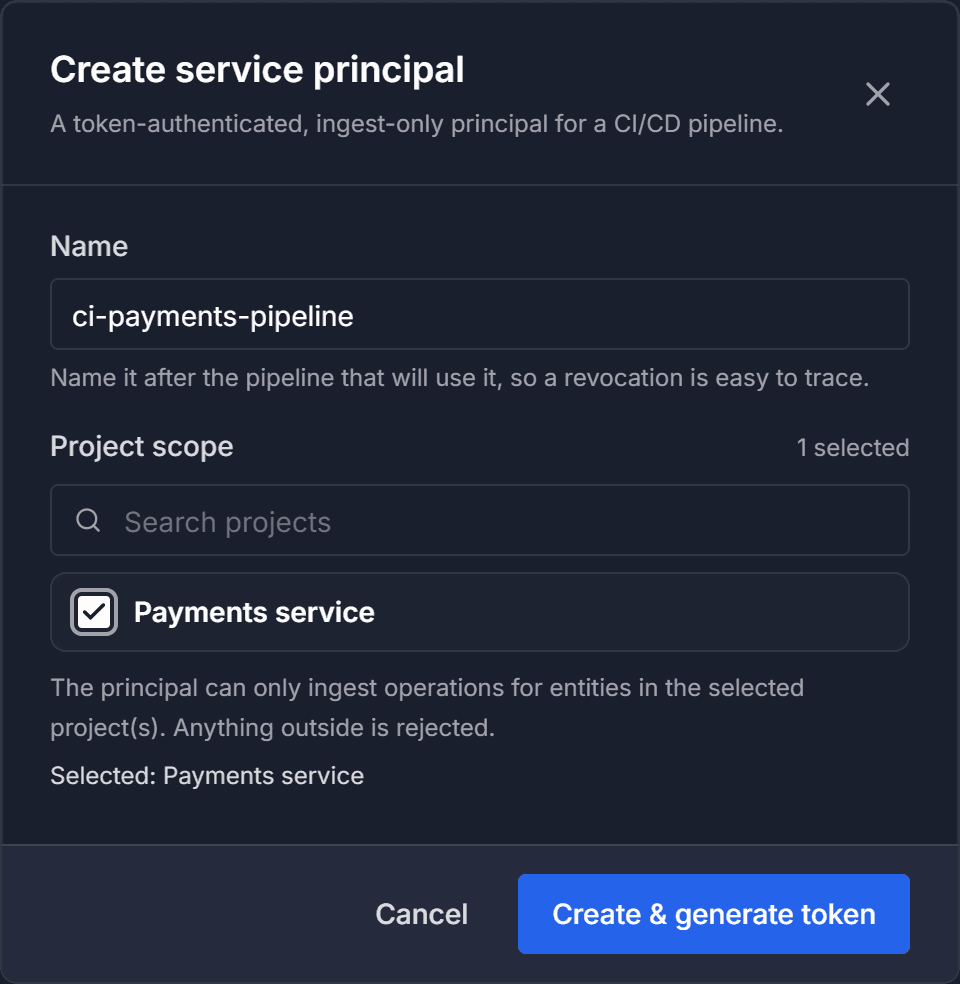
Select Create service principal.

Name it after the pipeline
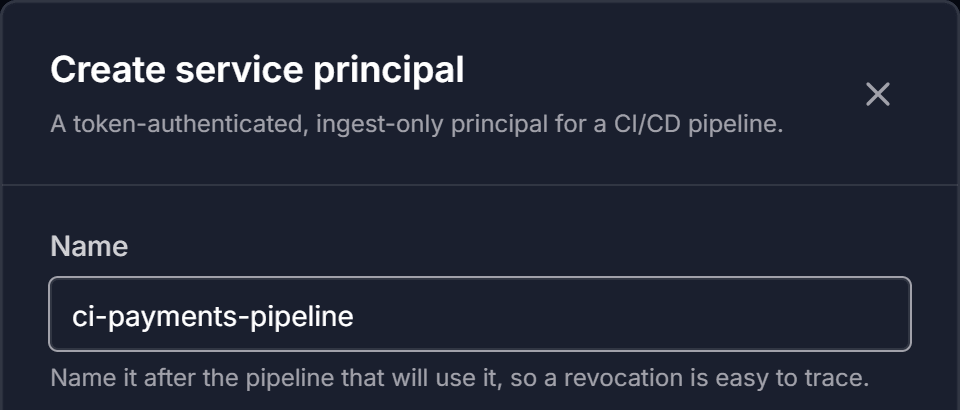
Under Name, give the principal a name that identifies the pipeline it serves, such as ci-orders-pipeline.
Use a name you will recognize in an audit. The principal appears under this name everywhere access is reviewed.
Scope it to projects
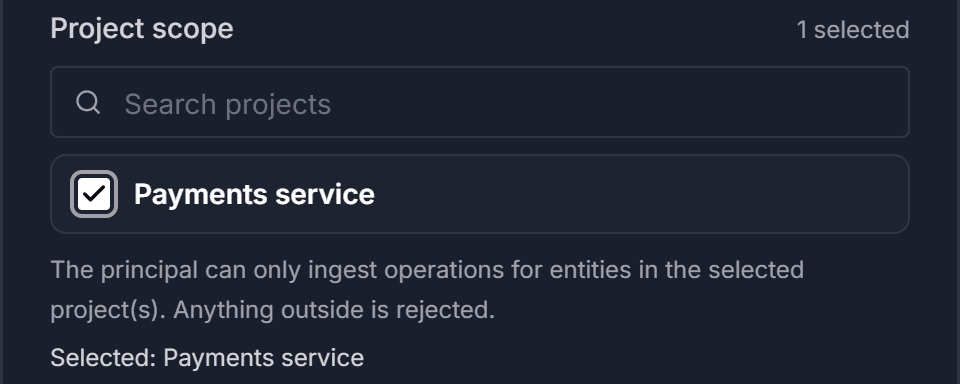
Under Project scope, select the projects the pipeline needs. You can search the project list.
The scope is the point of the principal. A pipeline that reports on two projects should be scoped to those two, not to the workspace. The principal can only send data for connections and changelogs in these projects, and anything outside them is rejected.
Generate the token
Select Create & generate token.
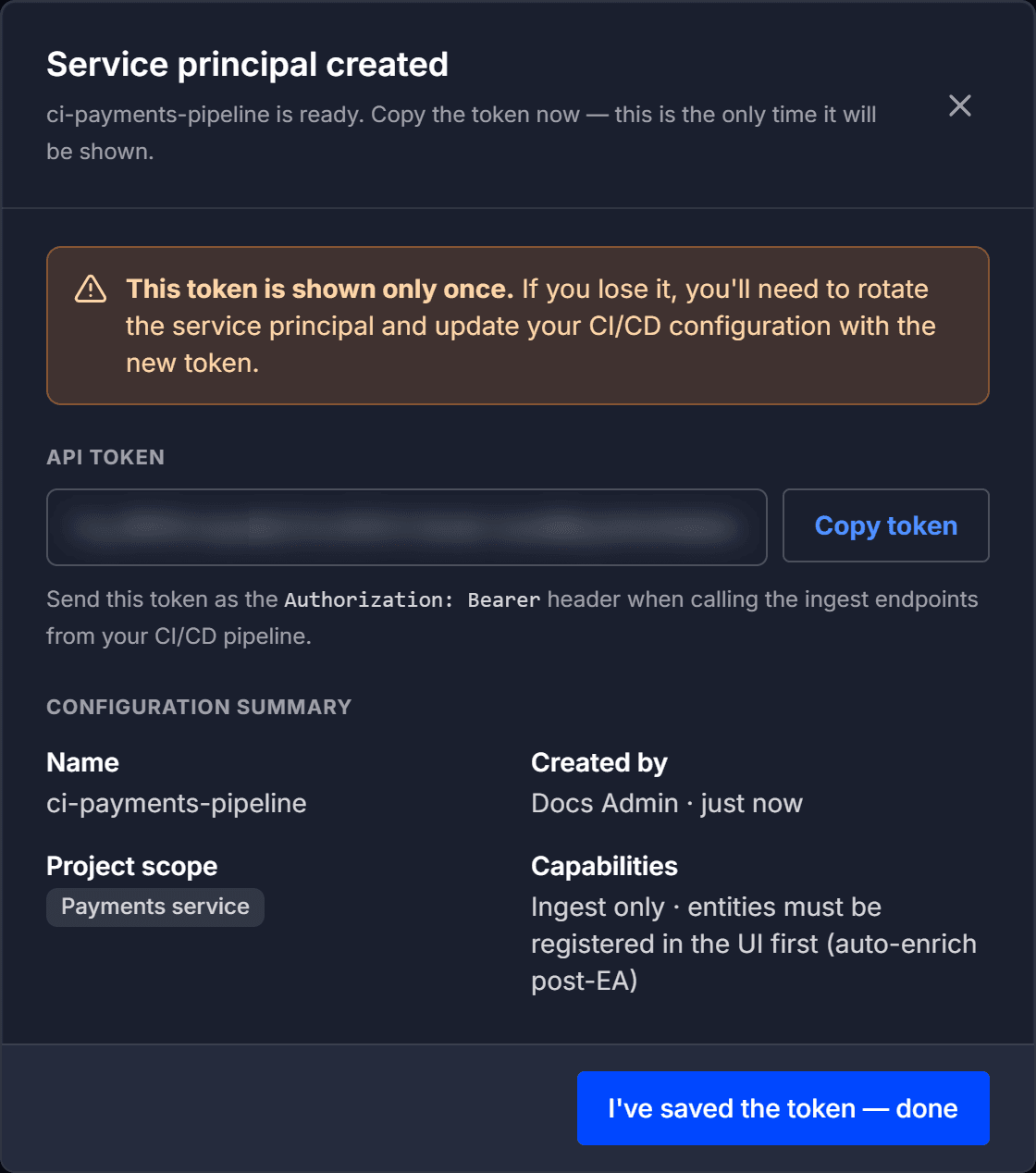
Save the token now
The token is displayed once and cannot be retrieved afterwards. Select Copy token and store it in your CI system's secret store before you close the dialog.
The dialog also shows a configuration summary. The principal is ingest only, and the connections and changelogs it reports on must already be registered in Liquibase Secure server.
When you have saved the token, select I've saved the token to close the dialog.
Use the token in your pipeline
Liquibase sends the token to Liquibase Secure server for you each time it runs in the pipeline. You do not add an Authorization header yourself. Instead, give Liquibase the token and the server address in the pipeline's configuration. For example, set these environment variables in the pipeline job that runs Liquibase:
Be sure to:
Replace
your_server_api_urlwith your server's API root, including the/apiprefix. For example,https://liquibase.example.com/apiReplace
your_service_principal_tokenwith the token you saved. Read it from your CI system's secret store rather than committing it.Replace
your_connection_identifierandyour_changelog_identifierwith the identifiers of a connection and a changelog registered in a project the principal is scoped to.
You can set the same values as liquibase.platform.* properties in liquibase.properties instead. A service principal must send both identifiers. If either one is not registered, or is outside the principal's project scope, the data is rejected.
Rotate or revoke when needed
From the service principal list you can:
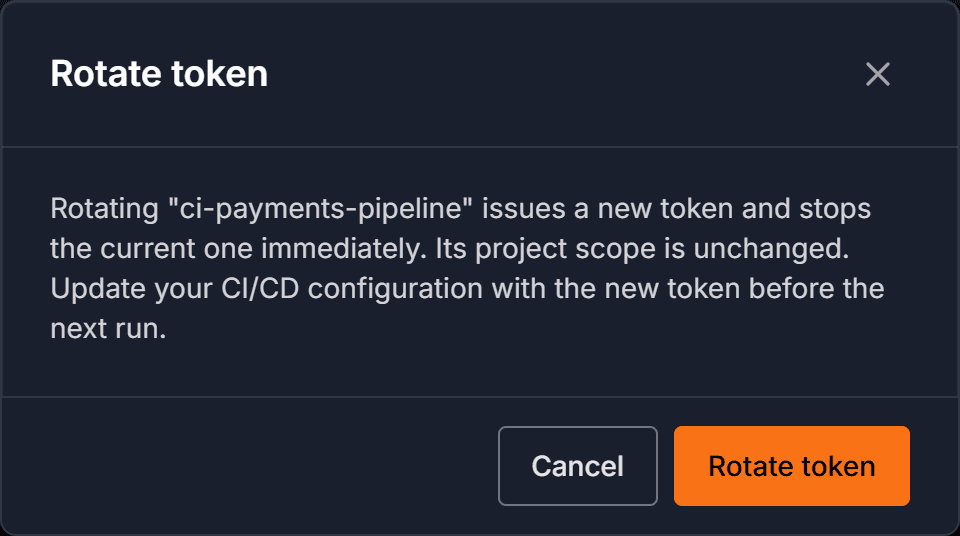
Rotate to issue a new token for the same principal. The current token stops working immediately, so update your pipeline's secret before its next run. The replacement is shown once, the same way.
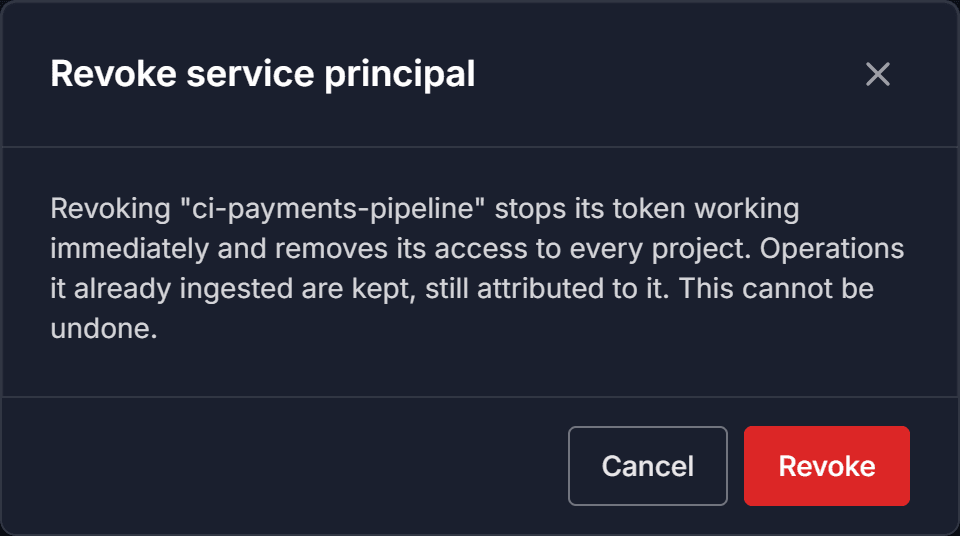
Revoke to disable the principal. Its token stops working immediately, and this cannot be undone. Operations it already sent are kept. A revoked principal stays in the list and is shown as revoked.
Note: A service principal's project scope and permissions are set when you create it. There is no screen for changing them afterwards. To change what a principal can reach, create a replacement and revoke the old one.