- Task
- Version · 6.0
- Manage
Grant or deny access to a single entity
Last updated: September 29, 2026
Handle an exception on one project, connection, changelog, or operation without changing what a whole group can reach.
Before you begin
You must be a member of the Administrators group. The account that set up the server is a member.
Groups and templates are the main way access is given. Use a direct rule only for an exception, such as containing exposure of one sensitive connection. See Liquibase Secure Role-Based Access Control.
Procedure
Open the entity
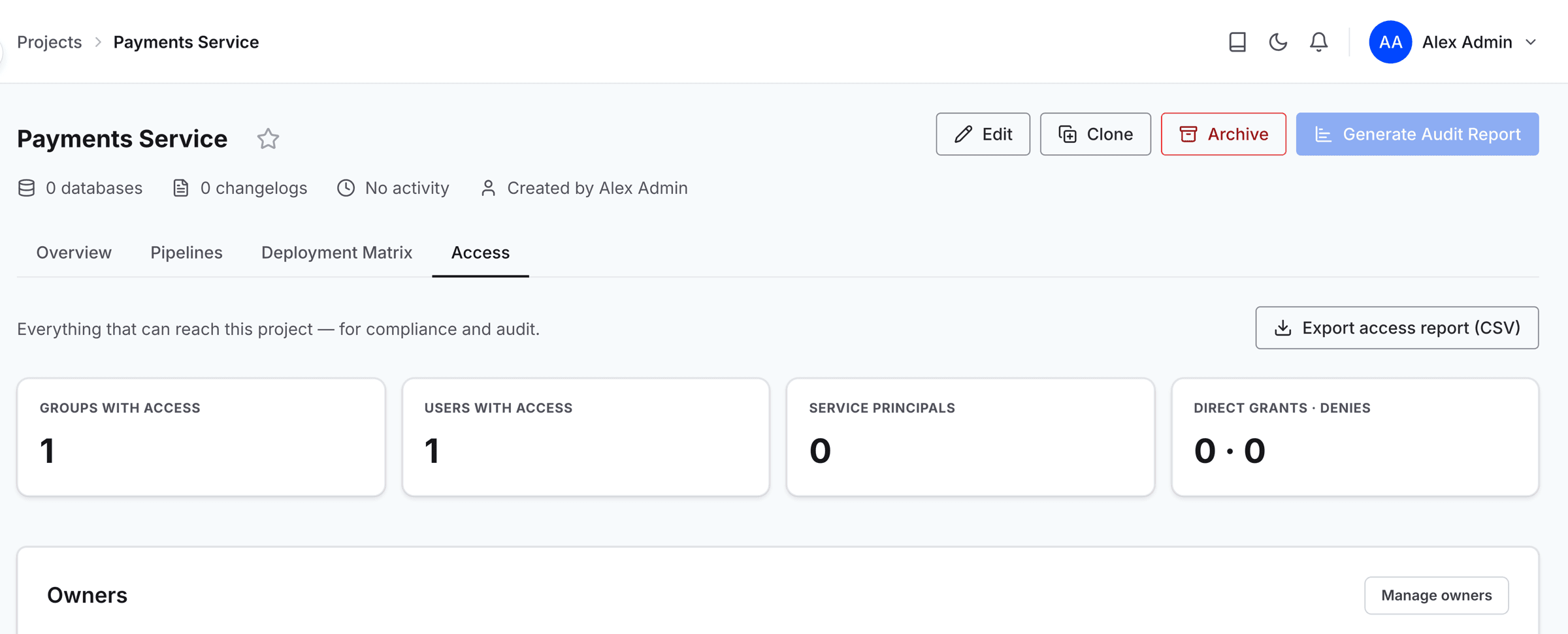
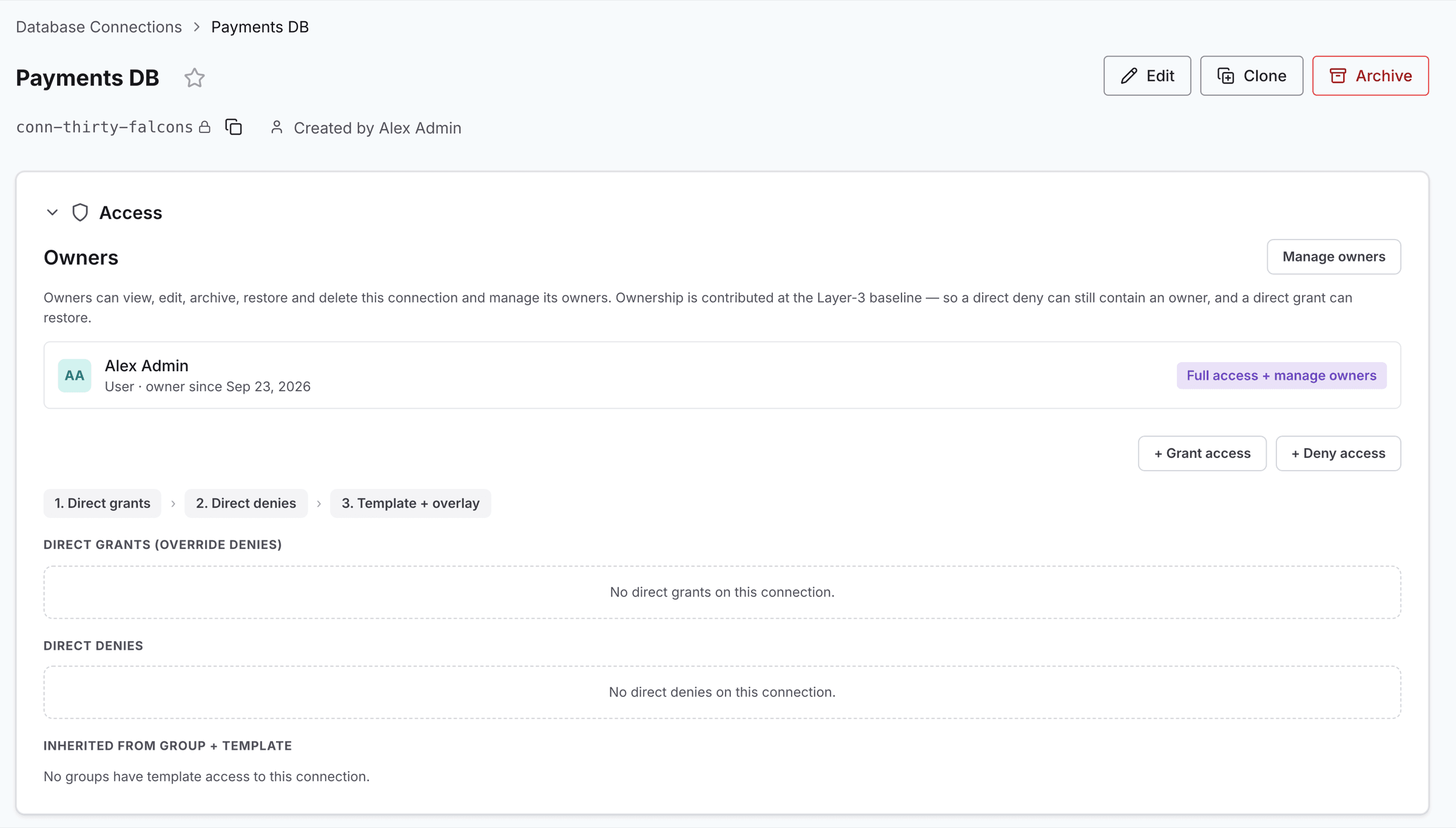
Go to Projects, Database Connections, Changelogs, or All Operations in the sidebar, and select the item you want to control to open its page. On a project, select the Access tab. On a connection, changelog, or operation, open the Access dropdown.
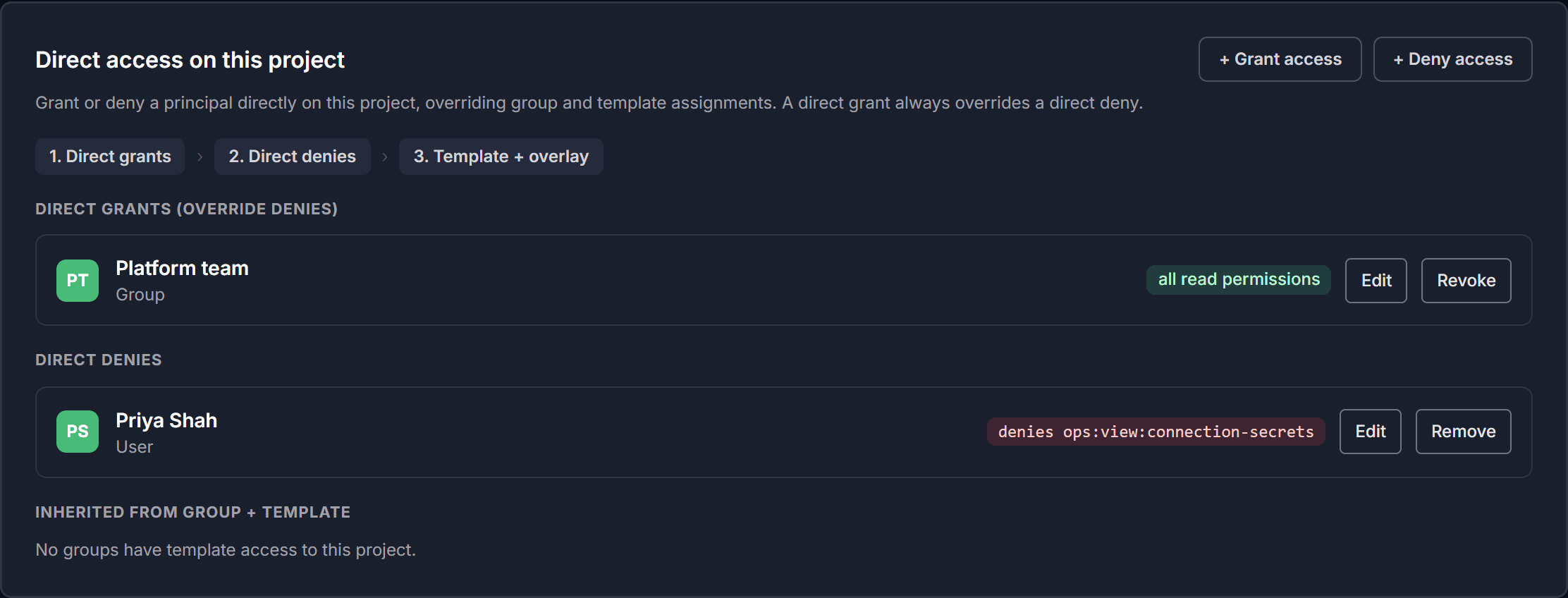
The panel lists every rule that applies to this entity, in three sections: Direct grants (override denies), Direct denies, and Inherited from group + template. If nothing applies yet, it shows No access rules yet.
Read what already applies
Rules are grouped so you can see where each one comes from:
Direct grants are exceptions added on this entity. They override denies.
Direct denies remove access on this entity only.
Inherited access comes from a group and template and is shown for context rather than edited here.
Administrators always retain access. A direct deny cannot lock an administrator out of an entity. A deny that names the Administrators group or an individual administrator is refused, and a deny on Everyone or on another group skips any administrators it covers.
Add a rule
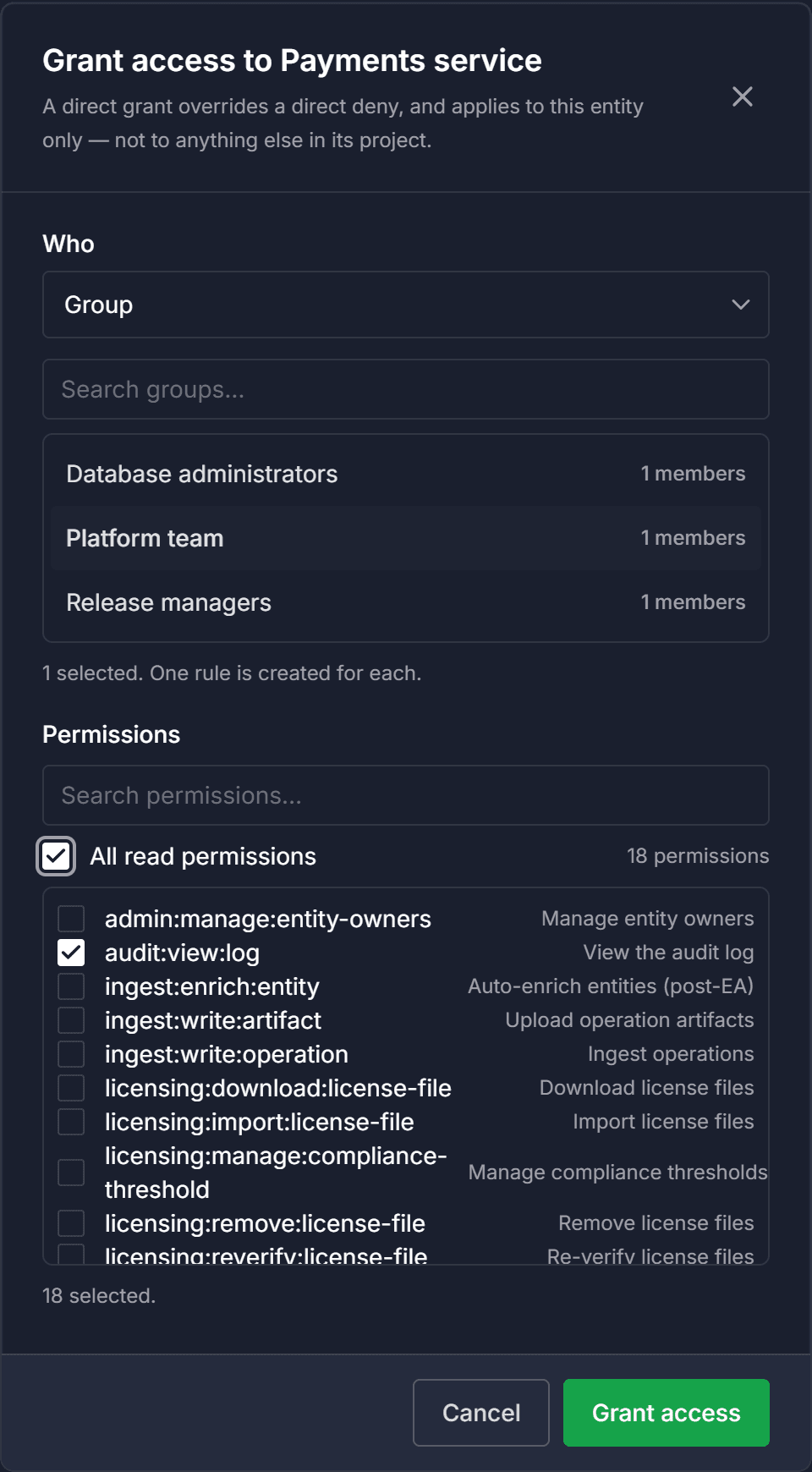
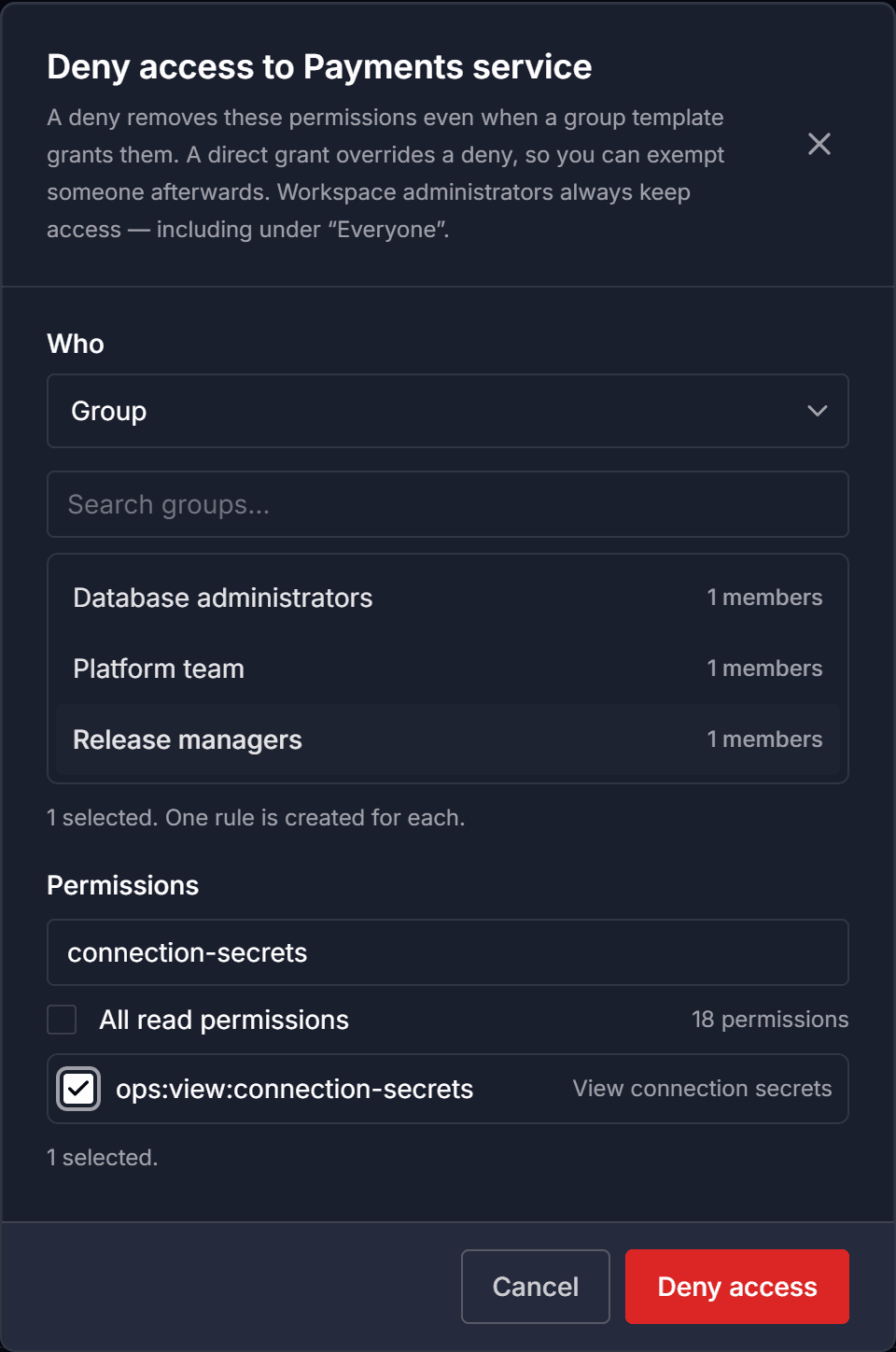
Select + Grant access or + Deny access. Under Who, choose Group or User, then select one or more. One rule is created for each principal you select.
A deny can also target Everyone, which covers every user, group, and service principal in the workspace. A grant cannot target Everyone.
Service principals are not listed. A service principal's scope is set when you create it.
Choose the permissions
Select the permissions the rule covers. You can search the list, or select all read permissions in one action.
A direct grant applies to this entity only. It does not extend to anything else in the entity's project.
Note: Permissions are listed by their internal key, such as audit:view:log, with the friendly name shown beside it.
Save the rule
Select Grant access or Deny access. The rule appears under Direct grants (override denies) or Direct denies.
To change the permissions a rule covers later, select Edit on the rule.
Remove a rule
Select Revoke on a direct grant, or Remove on a direct deny, then confirm. Inherited access is unaffected.