- Concept
- Version · 6.0
- Manage
What are database connections?
Last updated: September 29, 2026
What a database connection record is, and what its dashboard and details screens show.
A database connection in the web application is a record of a governed database target: a name, an environment label such as Development or Production, optional metadata, and an identifier. It holds no JDBC URL and no credentials, and it never connects to anything. Connecting Liquibase to your database happens in your CLI configuration; this record exists so operations against that database can be attributed and reviewed.
The database connections dashboard
The dashboard lists every registered connection with its environment badge. New Connection opens the registration form, where you pick the database type and environment.
The database connection details page
Opening a connection shows its identifier, environment, associated projects, and the operations attributed to it. This is where drift detections for a database surface alongside its deployment history.
The Database Connections dashboard
The Database Connections dashboard lists all database connections registered in your the server account. For each connection, you can see its name, identifier, database type, environment, policy status, the date it was created, and when it was last used.
You can search for a connection using the Filter database connections search bar, and narrow the list using the Type and Environments dropdown filters. Toggle Show Archived to include archived connections in the list.
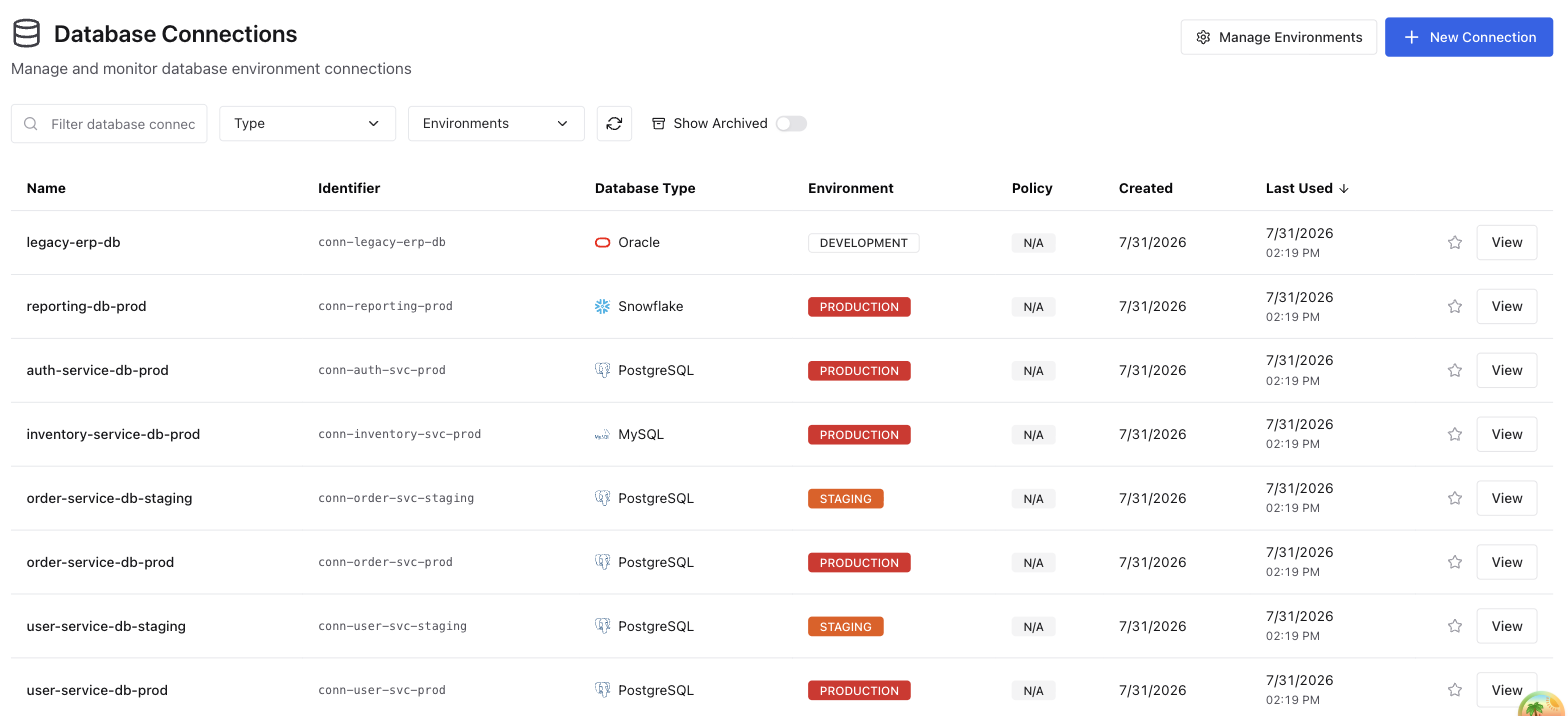
Connection fields
Field | Description |
|---|---|
Name | The display name of the database connection. |
Identifier | A unique identifier for the connection, used when setting |
Database Type | The type of database, such as PostgreSQL or SQL Server. |
Environment | The environment the connection belongs to, such as Production, Test, or Development. |
Policy | The policy check status for the connection. |
Created | The date the connection was created. |
Last Used | The date and time of the most recent operation run against this connection. |
The Database Connection details page
Selecting a database connection from the Database Connections dashboard opens its detail page. This page gives you a complete view of the connection's configuration, properties, policy check status, drift detection status, and operation history.
At the top of the page you can see the connection name, its environment badge, and its identifier. From here you can also:
Edit — update the connection's name, environment, and database type
Clone — create a new connection based on this one
Archive — remove the connection from the active list
Generate Audit Report — export a report of operation activity for this connection
Note: Archiving a connection hides it from the projects and pipelines it belongs to, and from their connection counts, without removing it from them. Restore it and it reappears in each one, in its original place in every pipeline.

Database Information
Shows the technical details of the database this connection points to.
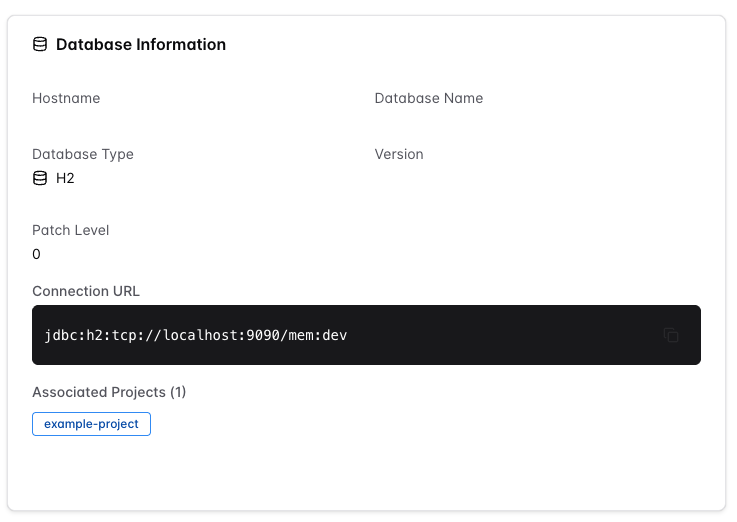
Field | Description |
|---|---|
Hostname | The hostname of the database server. |
Database Name | The name of the database. |
Database Type | The type of database, such as SQL Server or PostgreSQL. |
Version | The database version. |
Patch Level | The patch level of the database. |
Connection URL | The full JDBC connection URL used to connect to this database. |
Associated Projects | The projects this connection is associated with. |
Policy Checks
Policy check status for this connection will be available in a future release.
Drift Detection
Drift detection status for this connection will be available in a future release.
Properties
Custom key-value properties associated with this connection, such as the Liquibase version used against it. Select + Add Property to add a new property. Use the edit and delete icons on each row to update or remove an existing property.

Column | Description |
|---|---|
Key | The property name. |
Value | The property value. |
Description | An optional description of the property. |
Changelog Summary
Changelog execution statistics for this connection will be available in a future release.

Operations History
Lists every Liquibase operation run against this connection. You can search using the Filter operations bar and narrow the list by Status or Type.
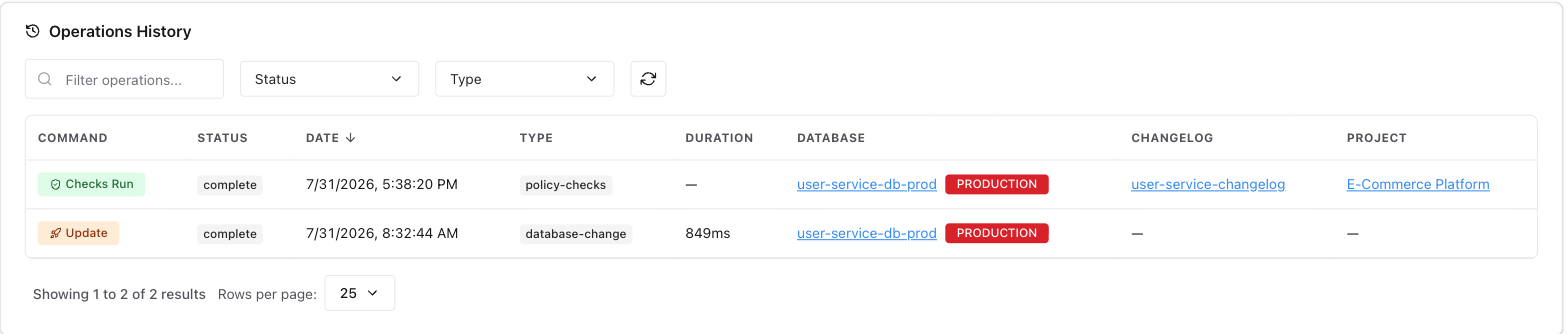
Field | Description |
|---|---|
Command | The Liquibase command that ran, such as |
Status | The result of the operation: |
Date | The date and time the operation ran. |
Type | The operation type, such as |
Duration | How long the operation took to complete. |
Database | The database connection the operation ran against. |
Changelog | The changelog associated with the operation. |
Project | The project the operation belongs to. |
Tags
Lists the tags assigned to this connection, shown as rounded badges at the bottom of the page. A tag can carry its own color, which the badge uses for its border and text.
This section appears only when the connection has at least one tag. A connection with no tags does not show an empty Tags card.