- Concept
- Version · 6.0
- Manage
How licensing works for Change Automation
Last updated: September 29, 2026
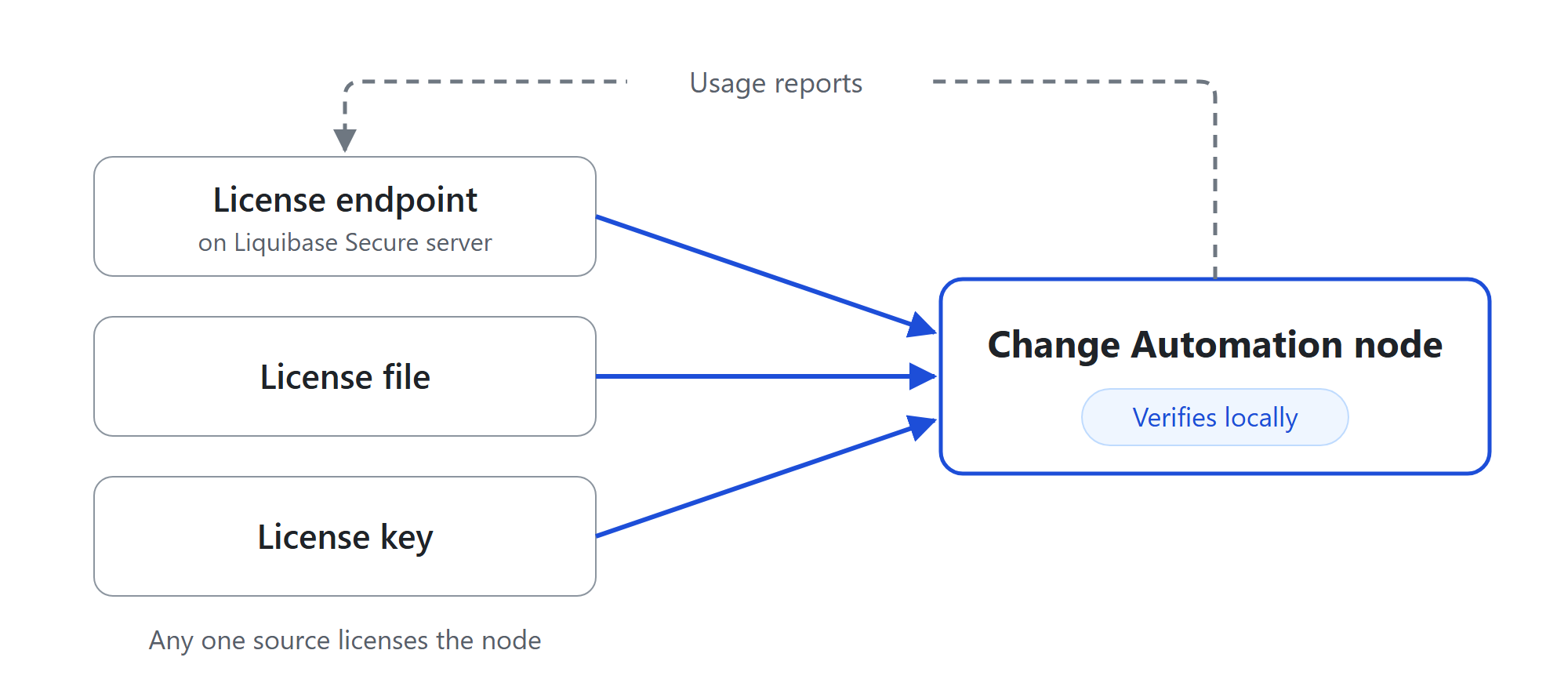
Change Automation reads its license from one of three places, verifies it locally, and reports usage back without ever blocking a deployment. This explains what it checks, what it warns about, and what it will never do.
What licensing means on the CLI
Liquibase Secure capabilities require a valid license. Valid means two separate things at once: the license artifact verified, and its term has not passed.
When no license is configured, Secure commands refuse to run and say why. The Liquibase operation itself is not damaged by this, and the message names the remediation rather than leaving you to find it.
Verification needs no setup. The release signing key ships inside the Liquibase build, so a license file verifies out of the box on a fresh installation.
Where a license comes from
Three sources, and any one of them licenses the installation.
Property | What it holds |
| The URL of the license endpoint served by Liquibase Secure server |
| The path to a license file Liquibase sent you |
| The contents of a license, rather than a path to it |
You can set more than one. The endpoint is always tried first. If it cannot supply a license, the node uses its own license file or license contents instead, without printing a message. Run liquibase license status to see which one it used.
A node that uses the endpoint also sends a service principal token, set with liquibase.platform.apiKey. Liquibase Secure server refuses a node that does not send one. The node reports its usage with the same token once usage reporting is turned on with liquibase.license.tracking.enabled=true. See Create a service principal for a CI/CD pipeline and License a Change Automation node.
A license file or license contents must be a base, renewal, or consolidated license. An add-on only adds to a base, so it cannot license a node on its own.
Existing 5.x license files still work. They are routed by shape rather than by a setting, so an upgrading installation does not have to convert anything. liquibase license status names the format it found, so you can confirm it rather than assume it.
What Liquibase warns about
Warnings appear in normal command output. Nothing is hidden behind a flag.
Utilization warns at 80 percent of licensed capacity and goes critical at 90 percent. These are fleet figures, so they appear only when the node reads its license from an endpoint. A node licensed from a file has no fleet view and shows no utilization warning.
Expiry is announced 90 days ahead, in every mode. The lead time is deliberate, because procurement for an air gapped installation takes longer than a renewal on a connected one.
What Liquibase will never do
This is the part worth being unambiguous about, because it is the assumption that generates support contacts.
Going over capacity does not stop anything. Capacity is tracked, never enforced. The CLI does not evaluate it at all: a single run sees the one or two databases it touched and has no view of your fleet, so it has nothing to compare against a grant. Capacity is worked out centrally from the usage nodes report, and exceeding it is a contract matter to resolve with your Liquibase account team rather than an outage. No run fails and no exit code changes.
A tracking failure does not stop anything either. If a node cannot reach its endpoint, the failure is logged and the operation continues. A licensing problem and a tracking problem are separate things, and neither an unreachable collector nor a rejected usage report puts a database operation at risk.
The two clocks
A cached endpoint response and a license term are separate clocks, and conflating them is the most common misunderstanding.
A cached response stays usable while it is within its time to live, so an endpoint outage does not stop a pipeline.
Commercial expiry is evaluated on every run regardless of the cache.
So a fresh cache never revives an expired license, and a stale cache never shortens a valid one. If a license is expired, no amount of caching hides it. If a license is valid, an unreachable endpoint does not make it look otherwise.
Key terms
Term | Definition |
Valid | The license artifact verified and its term has not passed. Both are required. |
Source | Where the effective license came from: an endpoint, a file, or a key. |
Trusted verify key | The public key used to verify a license. The release key is built into the Liquibase build. |
DB Target | One distinct database counted against licensed capacity. |
Tracking ID | The identity usage is attributed to. Defaults to |