- Concept
- Version · 6.0
- Govern
Review policy coverage
Last updated: September 29, 2026
Assignments say what each policy governs. Coverage asks the opposite question: Which of your assets are governed, and which are not? An asset that appears in no assignment has no checks enforced on it, no matter how complete your catalogs are. Reviewing coverage means finding those gaps before an audit does.
Note: This is not the same as the Database Coverage and Changelog Coverage cards on the Policy Checks view. Those count assets that actually ran a policy check in a time window. Coverage here is what your assignments intend to govern, whether or not anything has run yet. An asset can be covered by an assignment and still show no checks run, which usually means no pipeline has passed that assignment ID. See View policy execution for the measured side.
See what an assignment covers
Open an assignment under Assignments in the Govern section. Its detail page shows the two halves of its coverage. Packages and checks in this assignment lists the governance it enforces, and Project and Pipeline Assets shows what it covers, with a count line summarizing the projects, pipelines, database connections, and changelogs selected.
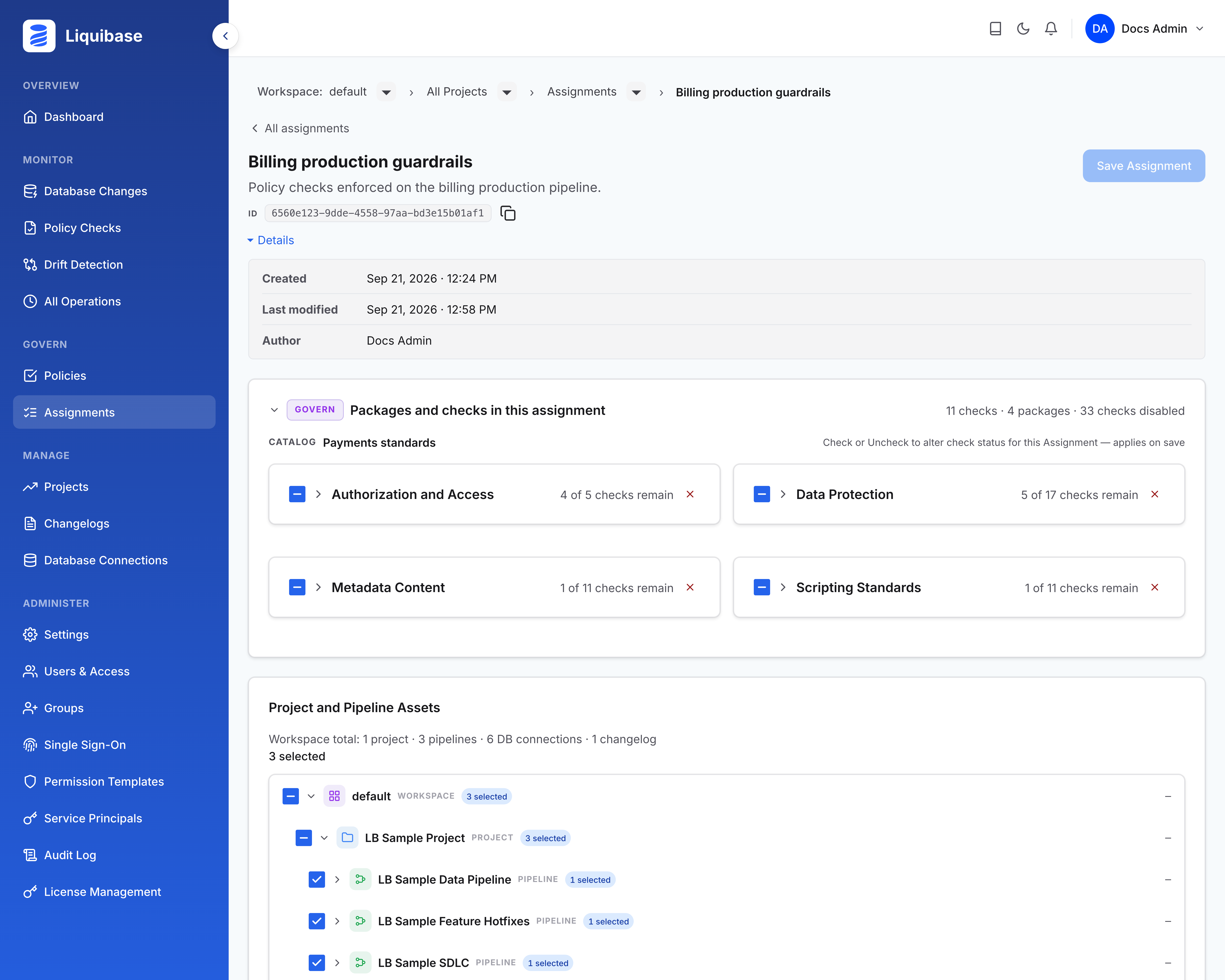
See what covers an asset
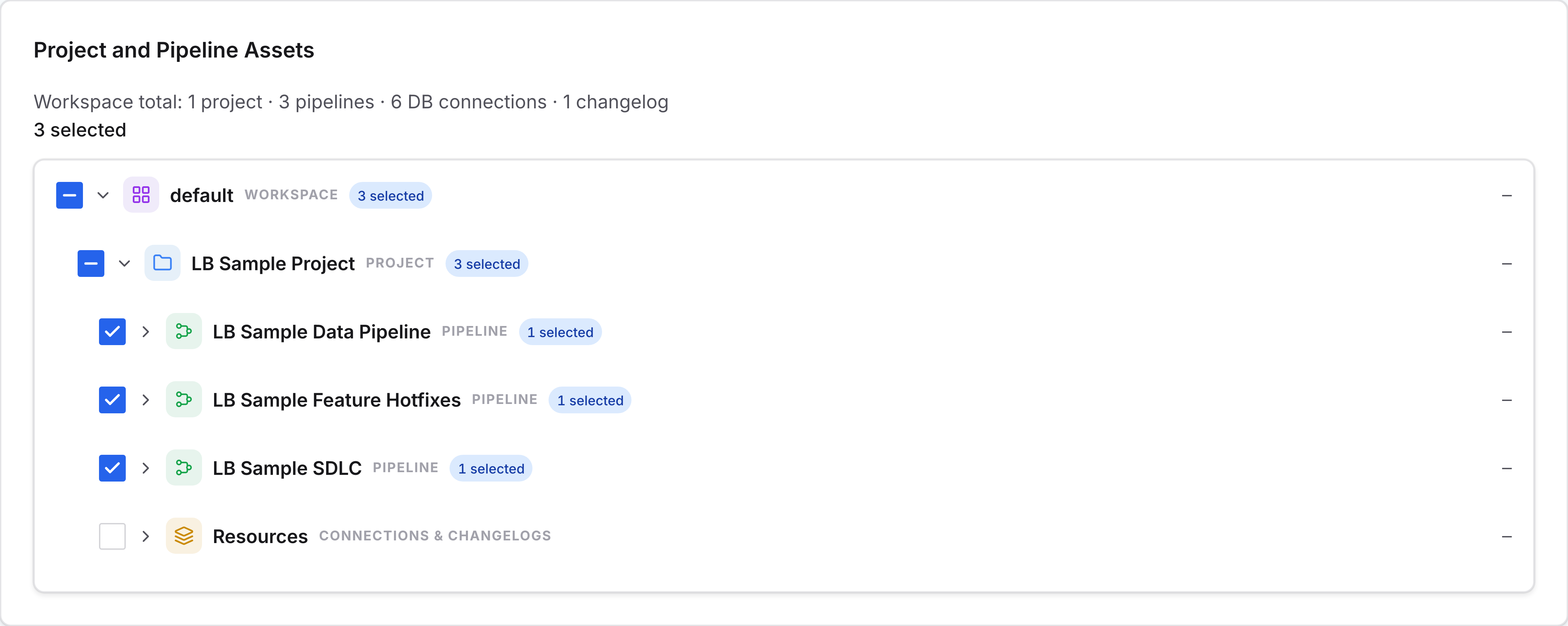
The asset tree on each assignment shows your workspace, its projects, and each project’s pipelines, database connections, and changelogs, with the selected assets checked. One asset can be covered by more than one assignment, so reviewing an asset means checking it across the assignments that name it. Narrow the Assignments list to a single project with the breadcrumb menus to see everything that governs that project’s assets.
Find the ungoverned gaps
An ungoverned asset is one no assignment selects. Walk each project’s database connections and changelogs against your assignments, starting with production connections, which should carry at least one assignment each. The count line on each assignment shows which projects it touches at all, and the asset tree confirms which assets within them are selected. A project that appears in no assignment’s counts is a gap.
Note: Coverage only takes effect where pipelines actually pass an assignment ID. An assignment that no pipeline references governs nothing, however complete its selections.
Watch coverage over time
Coverage is a point-in-time answer. For whether your governance is working, read the trends in Interpret governance and delivery measurements and work the Improve governance loop.
What to do next
You know where the gaps are. Improve governance end to end starts from the constraint the numbers point to, whether that is a policy, a practice, or a pipeline.