- Concept
- Version · 6.0
- Govern
What are policy checks?
Last updated: September 29, 2026
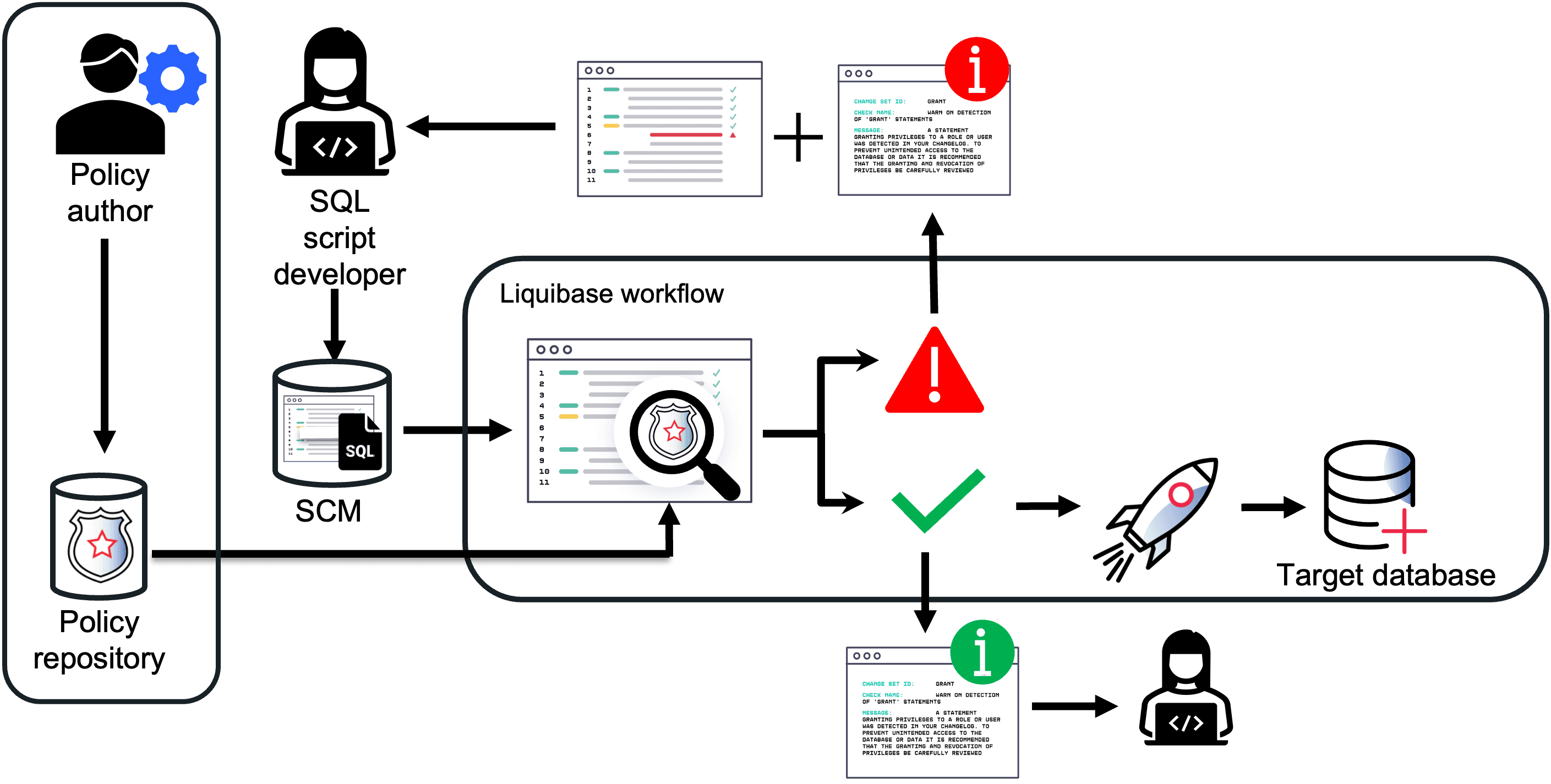
Liquibase policy checks let you define and enforce code standards for your database changes, so compliance and data quality problems are caught early in the development life cycle. Checks analyze your changelogs, changesets, and SQL for the commands and patterns that need close review. You manage checks in the web application, and they run in your build and deployment automation.
Policy checks can run at any point in the workflow. You can run changelog checks before deploying any changes, and run them again after deployment to make sure the changelog still follows your rules. Database checks work the same way: Run one before an update to be sure all is well, and after an update to confirm your database rules and standards are still intact.
Business benefits
Reduce errors and risk: Automatically enforce consistent, high-quality changes that meet your governance requirements.
Stay compliant: Catch non-compliant changes and notify developers with checks reports in your automation pipeline.
Increase productivity: Reduce manual reviews by enforcing policy standards automatically in your CI/CD pipeline.
Ensure data quality: Enforce code standards and correct nomenclature, patterns, and labels so data is entered correctly.
Example scenarios
Enforce standards: Validate naming standards, data types, and other common changes.
Access and privileges: Get immediate notice that user and role privileges are being modified.
Custom policy checks: Write checks customized to your organization’s governance standards.
How policy checks fit together
Define the policies to enforce in a central location. In Liquibase 6.0 that is the check library under Govern, where checks are organized into catalogs and packages.
Integrate checks into your automation to validate each change.
Review the results in the Policy Checks dashboard under Monitor.