- Concept
- Version · 6.0
- Govern
Understand policy governance
Last updated: September 29, 2026
Governance is automated enforcement of your organization's standards before a change reaches production. You define the rules once, and the Liquibase CLI running in your pipelines enforces them on every change, from every team, the same way, regardless of who or what wrote the change.
How enforcement works
Policy checks inspect changelogs, changesets, and database snapshots for what you do not want deployed. A failing check returns a severity and an exit code, so the pipeline can stop the change before it reaches the database. Severity is yours to choose, from advisory to pipeline-failing, and it can differ by environment. Real examples from the built-in checks:
Check Affected Rows Count on Delete stops a
DELETEthat would remove more rows than your threshold.Object name pattern match keeps object names to your standard.
Require primary key when creating table catches a table shipped without a primary key.
The four things you work with
Policy governance has four objects. Everything in the Govern section is one of them, or a relationship between them.
A check is one rule. Require primary key when creating table is a check. Each check carries a severity, a category, and a set of parameters you can tune, and it inspects either your changelogs or a snapshot of the database itself.
A package is a named group of checks. Packages are the unit you hand around. You assign a package, and assigning even a single one of its checks brings the whole package into the assignment, which is what makes a standard something a team adopts in one action instead of thirty.
A catalog is a container for packages. Every workspace starts with the read-only Liquibase Default Catalog, which holds the checks built into Liquibase Secure grouped into packages by category. Catalogs you create sit alongside it, and importing a checks settings file creates one.
An assignment is a named mapping of packages onto the work you deliver. It answers the question of where a policy applies, and it is the only one of the four that connects governance to your pipelines.
Note: A catalog holds packages, and a package holds checks. A check you want enforced has to live in a package first.
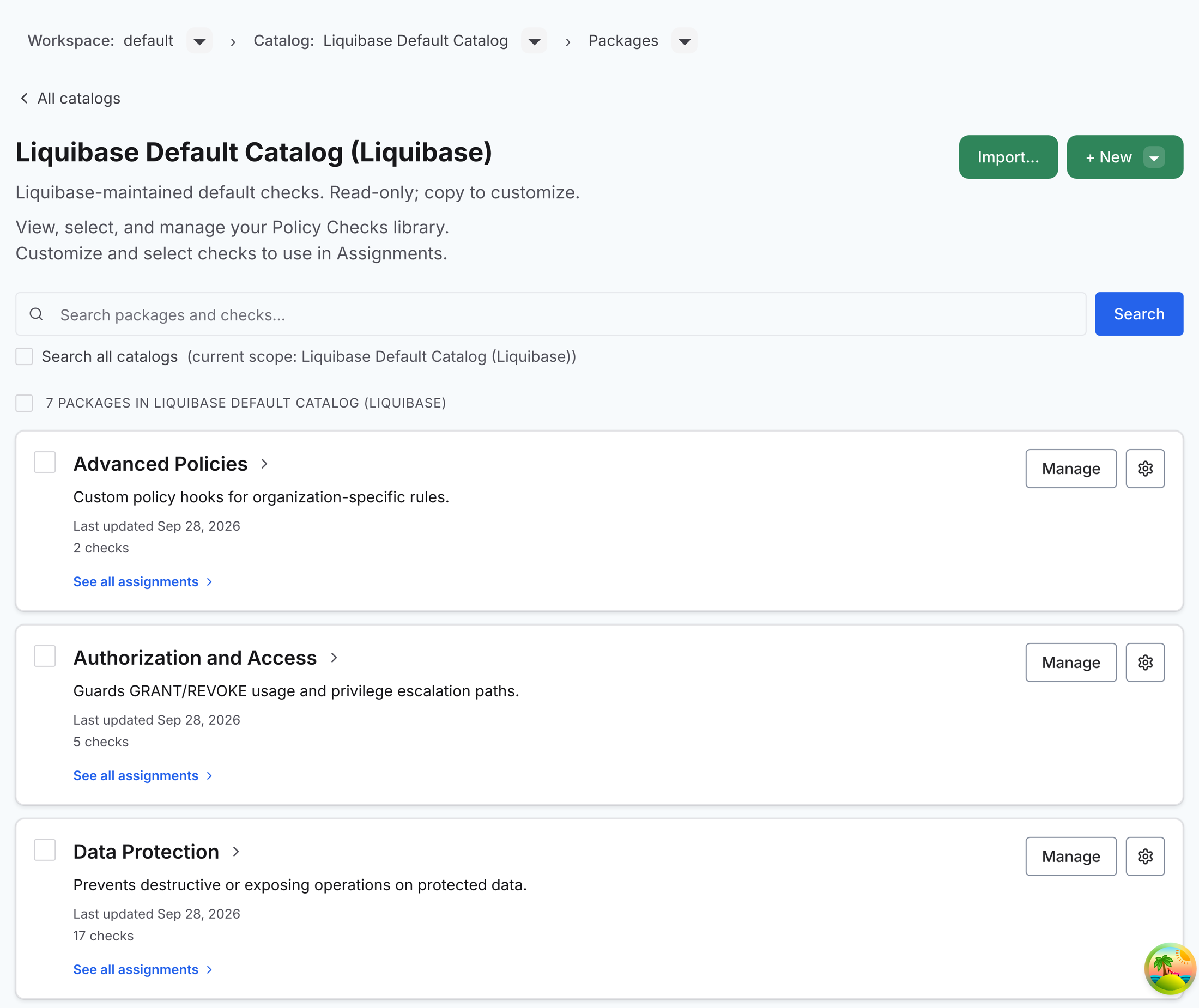
The policy chain, end to end
Working with those objects is a chain rather than a single task. Each stage links to its guide.
Browse what is available. Start from the check library, which shows the default catalog and any catalogs your team has created or imported.
Organize checks into your own catalogs and packages. Group the checks your organization enforces into packages that can be distributed together, copying them in from the default catalog, from search results, or from an imported checks settings file.
Configure each check and decide where it applies. Tune parameters and severities in Configure a policy check, then connect packages to the work they govern in Define policy assignments.
Enforce checks in your pipeline. The
liquibase checks runcommand evaluates your changelog against the configured checks. You can roll enforcement out across environments in stages.Monitor the outcomes. Every reported checks run appears in the Policy Checks dashboard under Monitor, and coverage gaps show in Review policy coverage. When a run blocks a pipeline, work it with Investigate a policy check failure.
Close the loop. Read what the measurements are telling you, adjust policies, assignments, and practice, and retire controls that no longer earn their cost.
How an assignment decides what runs
An assignment pairs the governance you want with the work it covers. The governance side holds packages. Assigning a single check adds its whole package to the assignment, with the package’s other checks present but disabled for that assignment, and you enable or disable checks per assignment from there. The coverage side selects assets from your workspace, meaning its projects and each project’s pipelines, database connections, and changelogs.
Creating the assignment produces an assignment ID, shown at the top of its detail page with a control to copy it. That ID is what connects the web application to your pipeline. When your pipeline runs liquibase checks run with an assignment ID, the server resolves the ID to the set of checks that assignment currently maps, and those are the checks that run. Nothing else in your pipeline configuration decides it.
Changing an assignment changes what runs on the next execution, with no pipeline change and no redeploy. That is the point of the design.
One asset can carry more than one assignment. A production database can be covered by a strict assignment and a broader one at the same time, and the assignment ID in the pipeline is what selects between them. The same catalog can therefore behave one way in development and another in production without maintaining two copies of anything.
What you can see in the asset tree
The asset tree shows everything in the workspace you are allowed to view, and each asset carries the name of its owner.
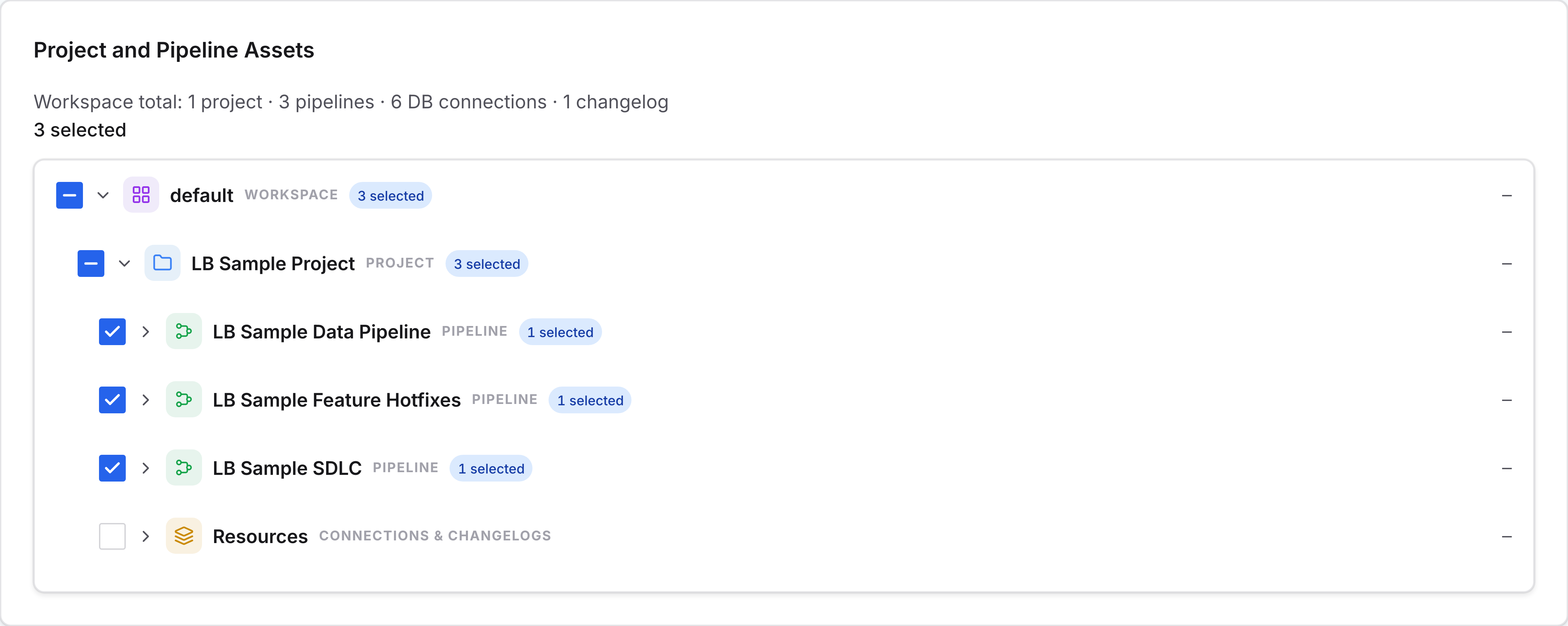
You will never see an asset you are not permitted to view, so the tree is not a way to discover what exists elsewhere in the organization.
Where governance is defined and where it is enforced
You define rules centrally in the Liquibase Secure web application, or in checks settings files alongside your project. Enforcement happens at execution time, in the CLI and your automation, which is why a policy failure stops the deployment itself.