- Task
- Version · 6.0
- Govern
Run checks with a policy assignment
Last updated: September 29, 2026
Before you begin
Create an assignment that maps the packages you want enforced and covers the database and changelog this pipeline works on.
Connect the CLI to your Liquibase Secure server. Set
liquibase.platform.apiUrlto your server's ingest URL andliquibase.platform.apiKeyto a workspace API key with access to the assignment. Without both,checks runstops withLB-CHK-0008.A changelog for the checks to run against. Set
changelogFilein your defaults file, or pass--changelog-filewhen you run the command. Without one,checks runstops withLB-CHK-0001.
Know which check scopes your assignment covers. By default, checks run includes only changelog checks, so a database-scoped check that is out of scope passes without ever running.
Procedure
Copy the assignment ID
Open your assignment under Assignments in the Govern section. The ID sits at the top of its detail page with a control to copy it. That ID is what connects the assignment to your pipeline.
Run the checks
In your pipeline, or locally to test, run checks run with the assignment’s ID:
Be sure to:
Replace
your_assignment_idwith the ID you copied in step 1.
liquibase checks run --assignment-id=your_assignment_idThe server resolves the ID to the set of checks the assignment currently maps, and those are the checks that run. The command in your pipeline never names a check, so you change what it enforces by editing the assignment in the web application, and the next run picks that up.
Note: --assignment-id takes precedence over --checks-settings-file. If you pass both, the local file is ignored and never read, and the run tells you so.
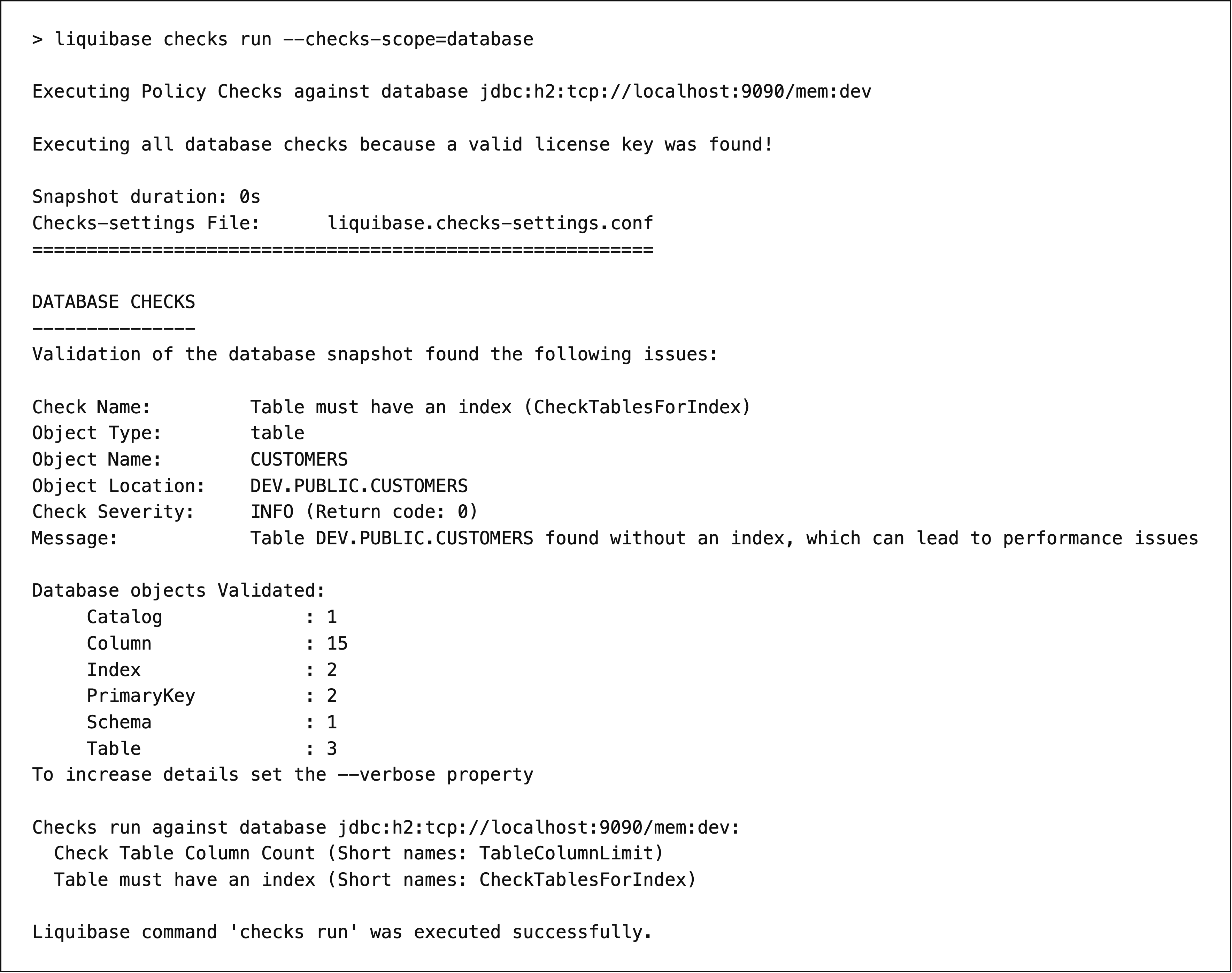
To include database-scoped checks, add --checks-scope=changelog,database. The checks run command reference lists every parameter the command takes.
Read the results
The output names each check that fired, the changeset or database object that triggered it, the severity, and the exit code. A changelog run then lists every changeset it validated, and a database run counts the objects it examined by type. Either way that is the quickest way to confirm a check reached what you expected it to.
Each check’s severity maps to an exit code, and when multiple checks fire, Liquibase returns the highest one. That exit code is what stops a pipeline. Every reported run also appears in the Policy Checks dashboard under Monitor.
What to do next
You have a run you can read, and with every check at its default severity it reported and blocked nothing. Tune your policy checks to decide which checks to switch on or off and to set their parameters. When a check has earned your trust, set its severity so the pipeline stops on it.